
try...catch and null checks with Rust
This post is written by a JavaScript developer just entering the world of Rust. A JS background isn’t required to get value from this article! But if you’re a fellow web-developer-turned-Rustacean, you’ll empathize with my points a bit more.

It seems like languages built in the last decade are following a common trend: down with object-oriented models, and in with functional programming (FP).
Web developers may have seen the FP pattern emerge in modern frontend frameworks like React using their hooks model. But moving to Rust, you’ll see how powerful FP can be when you build an entire programming language around it — and the approach to the try...catch and null are just the tip of the iceberg!
Let’s explore the flaws of throwing and catching exceptions, what Rust’s Result enum and pattern matching can do for you, and how this extends to handling null values.
For you new Rustaceans (yee-claw! 🦀), Rust is built to be a lower-level, typed language that’s friendly enough for all programmers to pick up. Much like C, Rust compiles directly to machine code (raw binary), so Rust programs can compile and run blazingly fast. They also take communication and documentation very seriously, with a thriving community of contributors and a plethora of excellent tutorials.
try...catch blocks in RustIf you’re like me, you’re used to doing the catch dance all throughout your JavaScript codebase. Take this scenario:
// Scenario 1: catching a dangerous database call
app.get('/user', async function (req, res) {
  try {
    const user = await dangerousDatabaseCall(req.userId)
    res.send(user)
  } catch(e) {
    // couldn't find the user! Time to tell the client
    // it was a bad request
    res.status(400)
  }
})
This is a typical server pattern. Go call the database, send the response to the user when it works, and send some error code like 400 when it doesn’t.
But how did we know to use try...catch here? Well, with a name like dangerousDatabaseCall and some intuition about databases, we know it’ll probably throw an exception when something goes wrong.
Now let’s take this scenario:
// Scenario 2: forgetting to catch a dangerous file reading
app.get('/applySepiaFilter', async function (req, res) {
  const image = await readFile("/assets/" + req.pathToImageAsset)
  const imageWithSepiaFilter = applySepiaFilter(image)
  res.send(imageWithSepiaFilter)
})
This is a contrived example, of course. But, in short, whenever we call applySepiaFilter, we want to read the requested file out of our server’s /assets and apply that color filter.
But wait, we forgot to wrap a try...catch around this! So, whenever we request some file that doesn’t exist, we’ll receive a nasty internal server error. This would ideally be a 400 “bad request” status. 😕
Now you might be thinking, “Okay, but I wouldn’t have forgotten that try...catch…” Understandable! Some Node.js programmers may immediately recognize that readFile throws exceptions.
But this gets more difficult to predict when we’re either working with library functions without documented exceptions or working with our own abstractions (maybe without documentation at all if you’re scrappy like me 😬).
Summing up some core problems with JS exception handling:
throws, the caller must remember to handle that exception. And no, your fancy ESlint setup won’t help you here! This can lead to what I’ll call try...catch anxiety: wrapping everything in a try block in case something goes wrong. Or worse, you’ll forget to catch an exception entirely, leading to show-stopping failures like our uncaught readFile calltry...catch wrappers around multiple points of failure. For example, what if our readFile explosion should return one status code, and an applySepiaFilter failure should return another? Do we have multiple try...catch blocks? What if we need to look at the exception’s name field (which may be unreliable browser-side)?Let’s look at Rust’s Result enum.
Result enum and pattern matchingHere’s a surprise: Rust doesn’t have a try...catch block. Heck, they don’t even have “exceptions” as we’ve come to know them.
match in Rust💡 Feel free to skip to the next section if you already understand pattern matching.
Before exploring how that’s even possible, let’s understand Rust’s idea of pattern matching. Here’s a scenario:
A hungry customer asks for a meal from our Korean street food menu, and we want to serve them a different meal depending on the orderNumber they chose.
In JavaScript, you might reach for a series of conditionals like this:
let meal = null
switch(orderNumber) {
  case 1:
    meal = "Bulgogi"
    break
  case 2:
    meal = "Bibimbap"
    break
  default:
    meal = "Kimchi Jjigae"
    break
}
return meal
This is readable enough, but it has a noticeable flaw (besides using an ugly switch statement): Our meal needs to start out as null and needs to use let for reassignment in our switch cases. If only switch could actually return a value like this…
// Note: this is not real JavaScript!
const meal = switch(orderNumber) {
  case 1: "Bulgogi"
  case 2: "Bibimbap"
  default: "Kimchi Jjigae"
}
Guess what? Rust lets you do exactly that!
let meal = match order_number {
  1 => "Bulgogi"
  2 => "Bibimbap"
  _ => "Kimchi Jjigae"
}
Holy syntax, Batman! 😮
This is the beauty of Rust’s expression-driven design. In this case, match is considered an expression that can:
meal)Conditionals can be expressions, too. Where JavaScript devs may reach for a ternary:
const meal = orderNumber === 1 ? "Bulgogi" : "Something else"
Rust just lets you write an if statement:
let meal = if order_number == 1 { "Bulgogi" } else { "Something else" }
And yes, you can skip the word return. The last line of a Rust expression is always the return value. 🙃
match to exceptionsAlright, so how does this apply to exceptions?
Let’s jump into the example first this time. Say we’re writing the same applySepiaFilter endpoint from earlier. I’ll use the same req and res helpers for clarity:
use std::fs::read_to_string;

// first, read the requested file to a string
match read_to_string("/assets/" + req.path_to_image_asset) {
  // if the image came back ay-OK...
  Ok(raw_image) => {
    // apply the filter to that raw_image...
    let sepia_image = apply_sepia_filter(raw_image)
    // and send the result.
    res.send(sepia_image)
  }
  // otherwise, return a status of 400
  Err(_) => res.status(400)
}
Hm, what’s going on with those Ok and Err wrappers? Let’s compare the return type for Rust’s read_to_string to Node’s readFile:
readFile returns a string you can immediately work withread_to_string does not return a string, but instead, returns a Result type wrapping around a string. The full return type looks something like this: Result<std::string::String, std::io::Error>. In other words, this function returns a result that’s either a string or an I/O error (the sort of error you get from reading and writing files)This means we can’t work with the result of read_to_string until we “unwrap” it (i.e., figure out whether it’s a string or an error). Here’s what happens if we try to treat a Result as if it’s a string already:
let image = read_to_string("/assets/" + req.path_to_image_asset)
// ex. try to get the length of our image string
let length = image.len()
// 🚨 Error: no method named `len` found for enum
// `std::result::Result<std::string::String, std::io::Error>`
The first, more dangerous way to unwrap it is by calling the unwrap() function yourself:
let raw_image = read_to_string("/assets/" + req.path_to_image_asset).unwrap()
🚨 But this isn’t very safe! If you try calling unwrap and read_to_string returns some sort of error, the whole program will crash from what’s called a panic. And remember, Rust doesn’t have a try...catch, so this could be a pretty nasty issue.
The second and safer way to unwrap our result is through pattern matching. Let’s revisit that block from earlier with a few clarifying comments:
match read_to_string("/assets/" + req.path_to_image_asset) {
  // check whether our result is "Ok," a subtype of Result that
  // contains a value of type "string"
  Result::Ok(raw_image) => {
    // here, we can access the string inside that wrapper!
    // this means we're safe to pass that raw_image to our filter fn...
    let sepia_image = apply_sepia_filter(raw_image)
    // and send the result
    res.send(sepia_image)
  }
  // otherwise, check whether our result is an "Err," another subtype
  // that wraps an I/O error.
  Result::Err(_) => res.status(400)
}
Notice we’re using an underscore _ inside that Err at the end. This is the Rust-y way of saying, “We don’t care about this value,” because we’re always returning a status of 400. If we did care about that error object, we could grab it similarly to our raw_image and even do another layer of pattern matching by exception type.
So why deal with all these inconvenient “wrappers” like Result? It may seem annoying at first glance, but they’re really annoying by design because:
unwrap()try...catch anxiety, and no more janky type checking 👍null in RustThis is another hairy corner of JS that Rust can solve. For function return values, we reach for null (or undefined) when we have some sort of special or default case to consider. We may throw out a null when some conversion fails, an object or array element doesn’t exist, etc.
But in these contexts, null is just a nameless exception! We may reach for null return values in JS because throwing an exception feels unsafe or extreme. What we want is a way to raise an exception, but without the hassle of an error type or error message, and hoping the caller uses a try...catch.
Rust recognized this, too. So, Rust banished null from the language and introduced the Option wrapper. ✨
Say we have a get_waiter_comment function that gives the customer a compliment depending on the tip they leave. We may use something like this:
fn get_waiter_comment(tip_percentage: u32) -> Option<String> {
    if tip_percentage <= 20 {
        None
    } else {
        Some("That's one generous tip!".to_string())
    }
}
We could have returned an empty string "" when we don’t want a compliment. But by using Option (much like using a null), it’s easier to figure out whether we have a compliment to display or not. Check out how readable this match statement can be:
match get_waiter_comment(tip) {
  Some(comment) => tell_customer(comment)
  None => walk_away_from_table()
}
Option vs. ResultThe line between Result and Option is blurry. We could easily refactor the previous example to this:
fn get_waiter_comment(tip_percentage: u32) -> Result<String> {
    if tip_percentage <= 20 {
        Err(SOME_ERROR_TYPE)
    } else {
        Result("That's one generous tip!".to_string())
    }
}
...
match get_waiter_comment(tip) {
  Ok(comment) => tell_customer(comment)
  Err(_) => walk_away_from_table()
}
The only difference is that we need to provide some error object to our Err case, which can be a hassle because the callee needs to come up with an error type / message to use, and the caller needs to check whether the error message is actually worth reading and matching on.
But here, it’s pretty clear that an error message won’t add much value to our get_waiter_comment function. This is why I’d usually reach for an Option until I have a good reason to switch to the Result type. Still, the decision’s up to you!
Rust’s approach to exception and null handling is a huge win for type safety. Armed with the concepts of expressions, pattern matching, and wrapper types, I hope you’re ready to safely handle errors throughout your application!
Debugging Rust applications can be difficult, especially when users experience issues that are hard to reproduce. If you’re interested in monitoring and tracking the performance of your Rust apps, automatically surfacing errors, and tracking slow network requests and load time, try LogRocket.
LogRocket lets you replay user sessions, eliminating guesswork around why bugs happen by showing exactly what users experienced. It captures console logs, errors, network requests, and pixel-perfect DOM recordings — compatible with all frameworks.
LogRocket's Galileo AI watches sessions for you, instantly identifying and explaining user struggles with automated monitoring of your entire product experience.
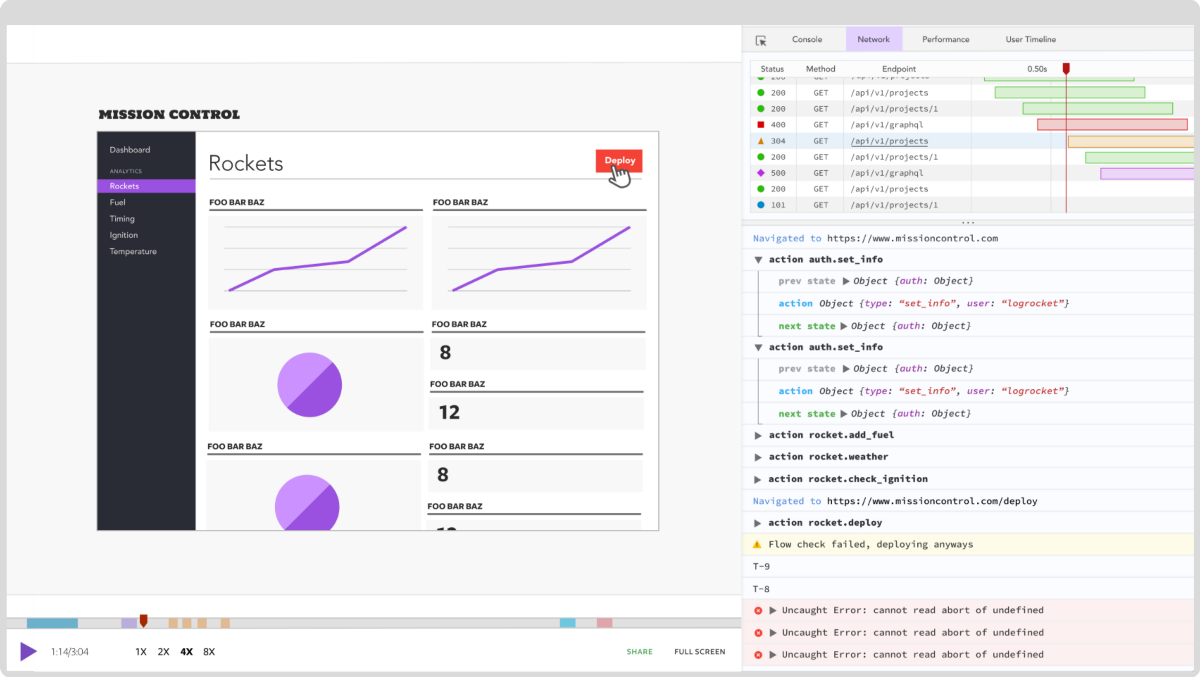
Modernize how you debug your Rust apps — start monitoring for free.

Learn how to use browser AI APIs for summarization, translation, and language detection with practical examples and implementation tips.

Build a live task board with Topcoat and Rust, using reactive signals, server-rendered search, and WebSocket updates.
Learn how to build and install three Claude Code mods to monitor usage, protect secrets, and track changes.

I tested Jev against popular LLMs to compare speed, cost, and accuracy on real bank support messages.
Would you be interested in joining LogRocket's developer community?
Join LogRocket’s Content Advisory Board. You’ll help inform the type of content we create and get access to exclusive meetups, social accreditation, and swag.
Sign up now

 Learn more →