Variables are fundamental in shell scripting and are used to store and manage data within a script. Proper variable naming ensures correct execution and improves readability. In Shell/Bash scripting, variable names must follow specific rules. Ignoring these rules can lead to syntax errors or unexpected behavior.
- Prevent syntax and assignment errors
- Avoid conflicts with reserved keywords
- Ensure compatibility with the shell interpreter
- Improve script readability
- Make scripts easier to maintain and debug
Rules for Naming Variables in Shell/Bash
Rule 1: A variable name can have letters, numbers, and underscores
A variable name in Shell/Bash can include alphabets (both lowercase and uppercase), numbers, and the underscore (_) character. These are the only characters allowed for defining valid variable names.
- Letters (a–z, A–Z) are allowed.
- Numbers (0–9) are allowed.
- Underscore (_) is allowed at any position.
- Variable names are case-sensitive (var and VAR are different).
Examples:
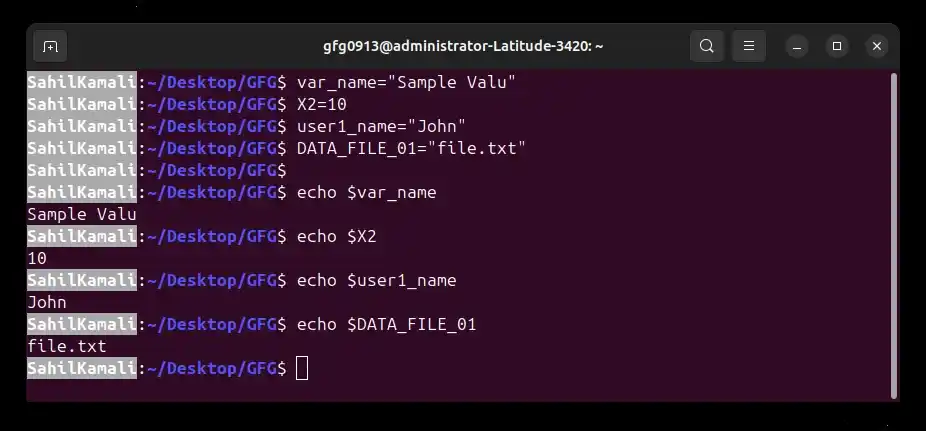
var_name="value"
X2=10
user1_name="John"
DATA_FILE_01="file.txt"
Output:
Note:
- Avoid using _ alone as a variable name.
- The shell uses $_ to reference the last argument of the previous command. Using _ as a variable name may cause unexpected behavior.
Rule 2: Do Not Use Whitespace Around the Assignment Operator (=)
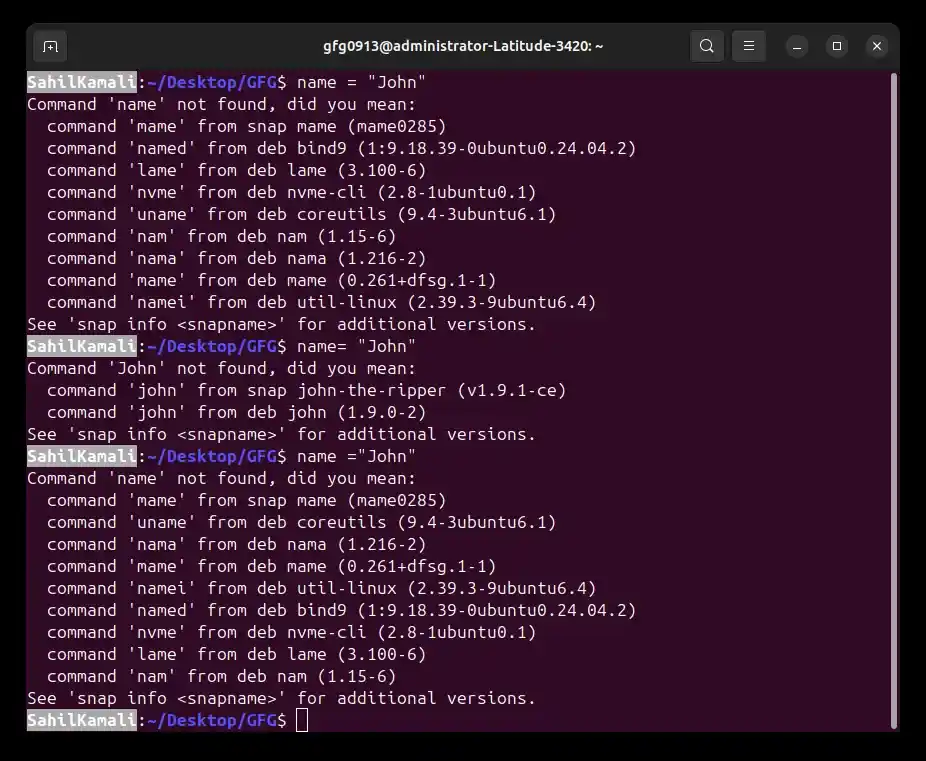
In Shell/Bash scripting, there must be no spaces before or after the assignment operator (=) when assigning a value to a variable. Adding whitespace causes the shell to misinterpret the statement and produce errors.
- No space is allowed before =.
- No space is allowed after =.
- The shell may treat the variable name as a command if spaces are used.
- Incorrect spacing leads to syntax errors.
Incorrect Examples:
name = "John"
name= "John"
name ="John"
- These are invalid because spaces break the assignment syntax.
Output:
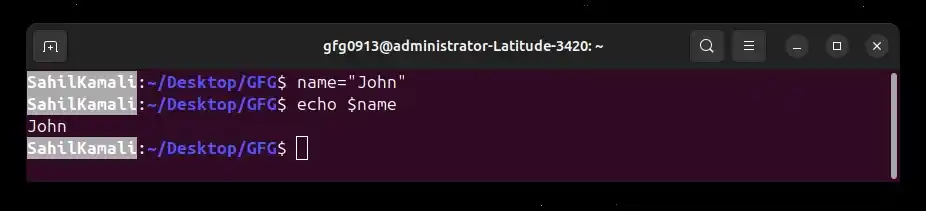
Correct Example:
name="John"Output:
Rule 3: Variable Names Cannot Contain Special Characters
In Shell/Bash scripting, variable names cannot include special characters except for the underscore (_). Special characters have predefined meanings in the shell and are used for operations such as variable expansion, pattern matching, and command control.
- Only the underscore (_) is allowed as a special character.
- Characters like $, #, *, &, @, !, and - are not allowed.
- Using special characters can cause syntax errors or unexpected behavior.
- Many special characters have operational meanings in the shell.
Invalid Examples:
user-name="Sam"
total$=100
price#=50
value@=10
Output:
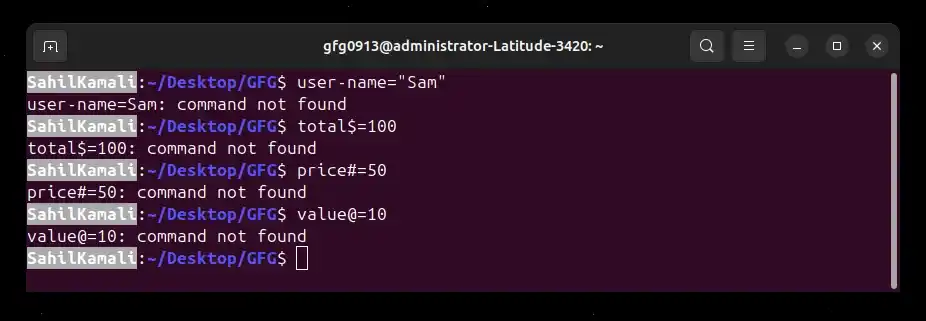
Meaning of Special Characters in Linux:
- $: is used to access variable values.
- *: is used for wildcard matching.
- #: is used in parameter expansion and comments.
- &: is used to run processes in the background.
Rule 4: The First Character Cannot Be a Number
In Shell/Bash scripting, a variable name may contain numbers, but it cannot begin with a number. The first character must always be a letter or an underscore.
- Numbers are allowed after the first character.
- The variable name must start with a letter or underscore.
- Starting with a number makes the name invalid.
- This rule prevents ambiguity during shell interpretation.
Invalid Examples:
2X=10
1st_name="Sam"
6_gate="open"
Output:
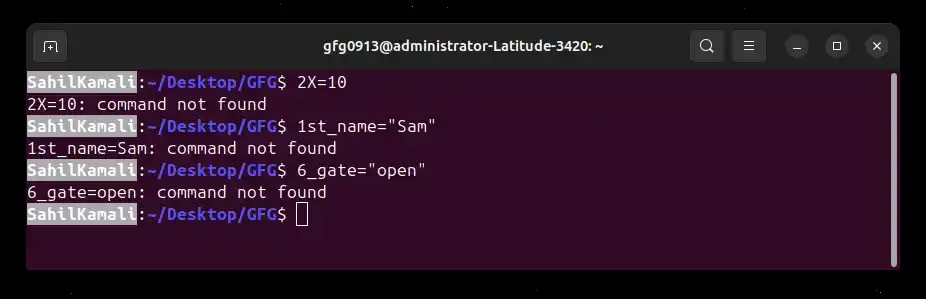
Valid Examples:
gate6="open"
name1="Sam"
_2ndValue=20
- The shell parser expects variable names to begin with a letter or underscore. Starting with a number can cause parsing errors or misinterpretation.
Output:
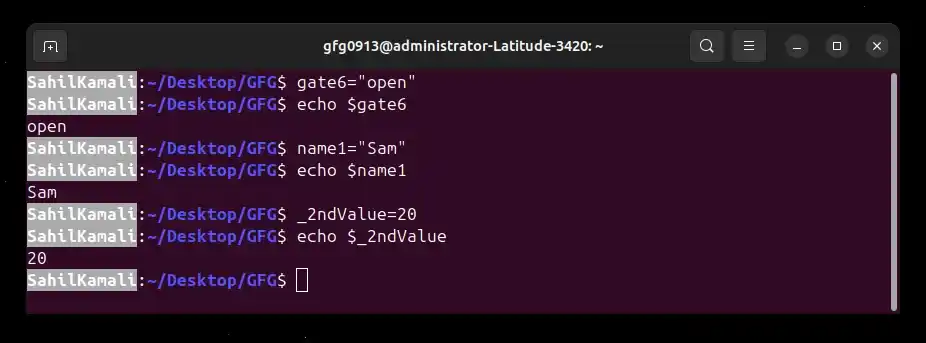
Rule 5: Variable Names Should Not Be Reserved Words
In Shell/Bash scripting, reserved words (keywords) are part of the shell’s syntax and control structures. Using these keywords as variable names is not recommended because it can reduce readability and may cause logical confusion or unexpected behavior.
- Reserved words are used to control script flow.
- Using them as variable names can make scripts confusing.
- It is considered bad practice even if no error occurs.
- Avoiding keywords improves script clarity and maintainability.
Common Reserved Words:
- if: Starts a conditional statement.
- elif: Specifies an additional condition in an if statement.
- else: Executes when previous conditions are false.
- then: Marks the beginning of commands after a condition.
- while: Starts a loop that runs while a condition is true.
- do: Begins the body of a loop.
- done: Ends a loop block.
- for: Starts a loop that iterates over a list of values.
- until: Runs a loop until a condition becomes true.
- case: Starts a multi-condition selection block.
- esac: Ends a case block.
- break: Exits a loop immediately.
- continue: Skips the current loop iteration.
- function: Defines a function in Bash.
Bad Practice Examples:
if="value"
for=10
case="test"
Output:
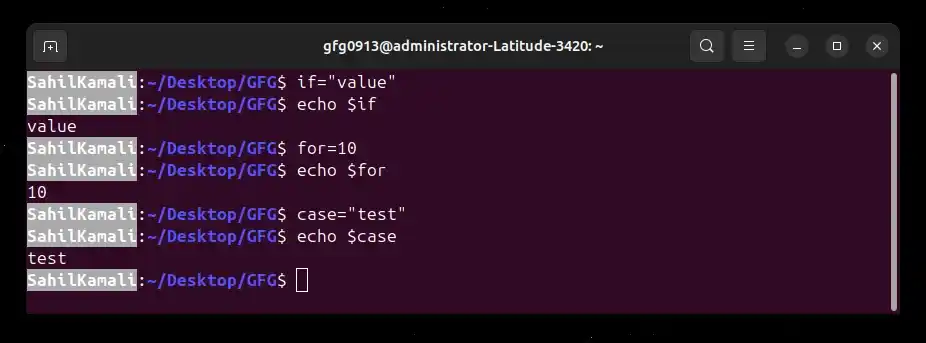
Note: Although these may not always produce errors, they make the script difficult to read and understand.
Rule 6: Variable Names Cannot Contain Spaces
In Shell/Bash scripting, variable names must not contain spaces. The shell treats spaces as separators between commands and arguments, so including a space inside a variable name will cause an error.
- Spaces are not allowed inside variable names.
- The shell interprets space as a command separator.
- Use underscore (_) instead of spaces for multi-word names.
- Avoiding spaces prevents syntax errors.
Incorrect Example:
first name="John"- This generates an error because the shell treats first as a command.
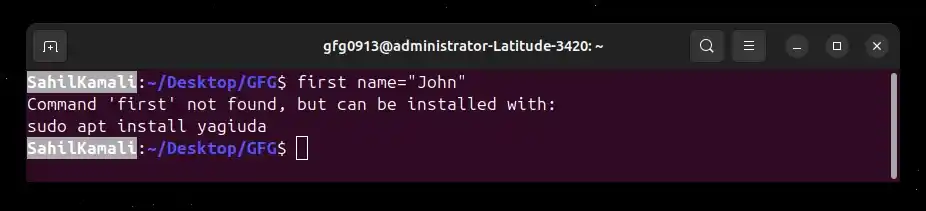
Correct Example:
- Using an underscore improves readability while keeping the name valid.
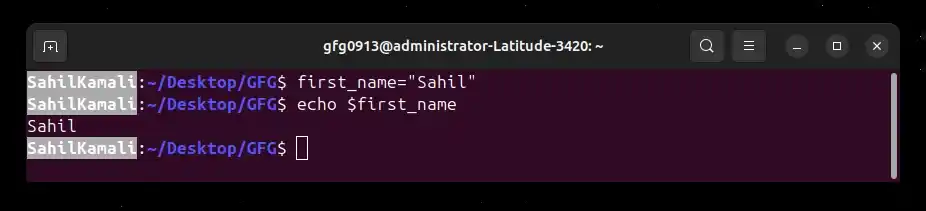
first_name="Sahil"