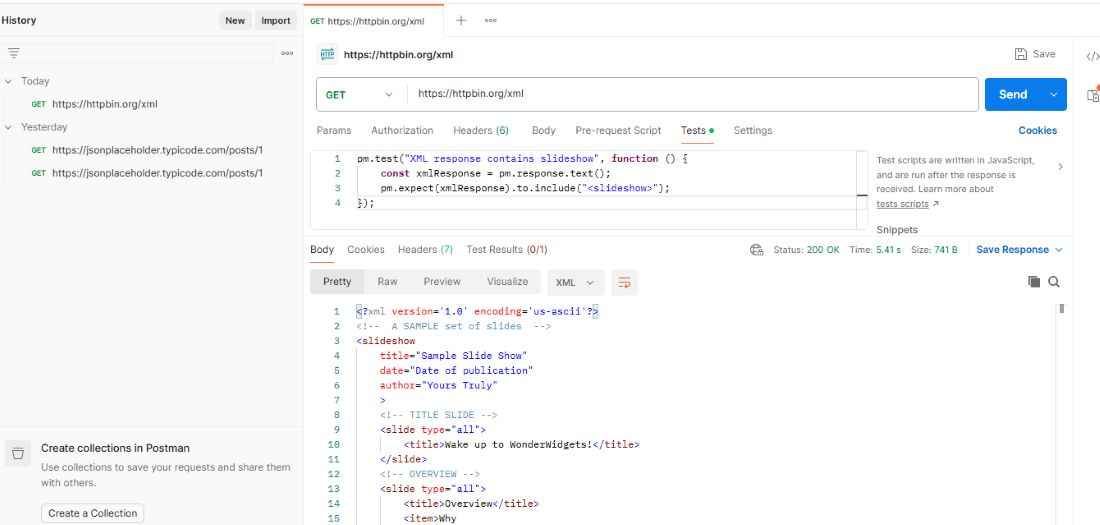
Postman assertions are validation checks used to determine whether an API response meets expected conditions. They help verify response data, structure, and behavior during API testing.
- Validate status codes, headers, and response data.
- Check response time and JSON structure.
- Help detect unexpected API behavior automatically.
How to Write Assertions in Postman
Assertions can be added to a request from Scripts -> Post-response. Postman provides the pm.test() function for defining tests and pm.expect() for validating expected values.
pm.test("Test name", function () {pm.expect(actualValue).to.eql(expectedValue);});
After sending the request, Postman executes these scripts and displays whether each test passed or failed.
1. Status Code Assertions
Status Code Assertions verify whether an API returns the expected HTTP status code. They help confirm that the server responds as expected for a particular request.
Steps to implement a Status Code Assertion:
- Create or select an API request in Postman.
- Open the Tests tab.
- Write the assertion using the pm.response object.
- Click Send to execute the request.
- Check Test Results to see whether the assertion passed or failed.
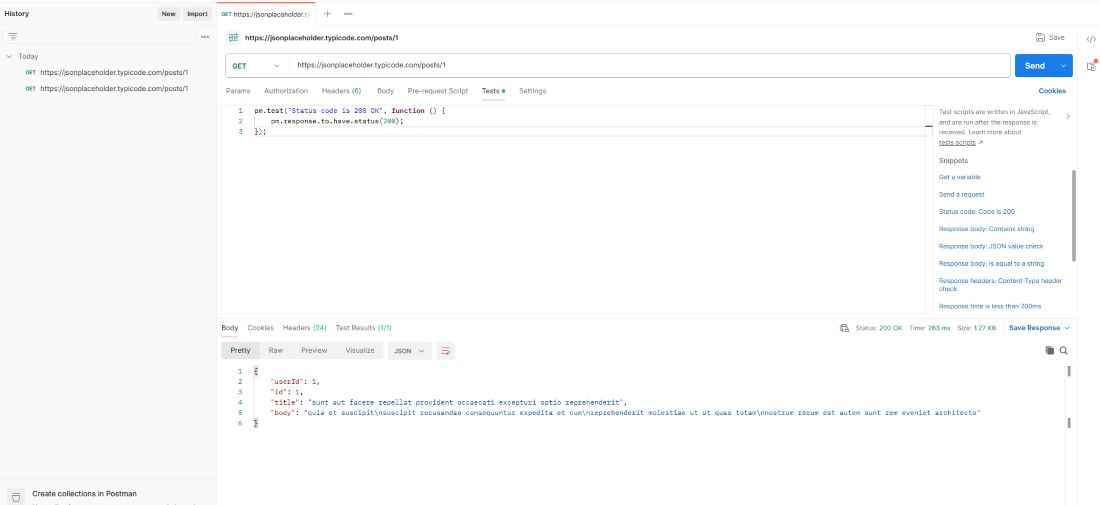
pm.test("Status code is 200 OK", function () {
pm.response.to.have.status(200);
});
In this example, the assertion passes when the API returns the 200 OK status code.
Output:
2. Response Body Assertions
Response Body Assertions verify whether the API response contains the expected data or values. They help confirm that the server returns the correct content for a request.
Steps to implement a Response Body Assertion:
- Create or select an API request in Postman.
- Open the Tests tab.
- Parse the JSON response using pm.response.json().
- Write the assertion using pm.expect().
- Click Send and check the Test Results.
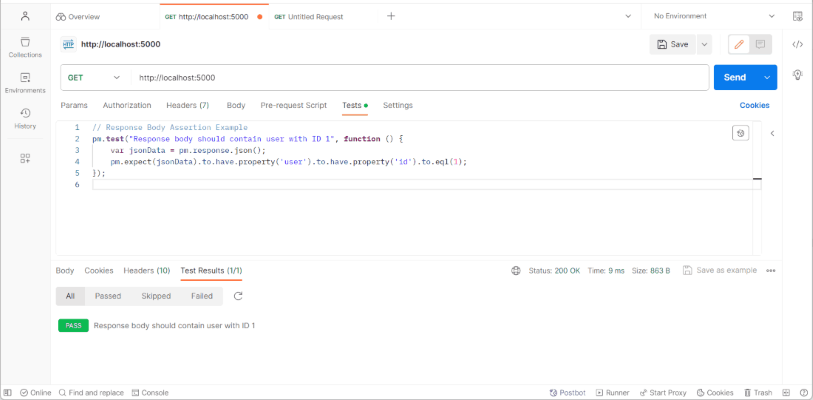
pm.test("Response contains post with ID 1", function () {
const jsonData = pm.response.json();
pm.expect(jsonData.id).to.eql(1);
});
Output:
3. Header Assertions
Header Assertions verify whether an API response contains the expected HTTP headers and header values. They are useful for validating information such as content type, caching, and authentication-related metadata.
Steps to implement a Header Assertion:
- Create or select an API request in Postman.
- Open the Tests tab.
- Access the required response header using pm.response.headers.
- Write the assertion using pm.expect().
- Click Send and check the Test Results.
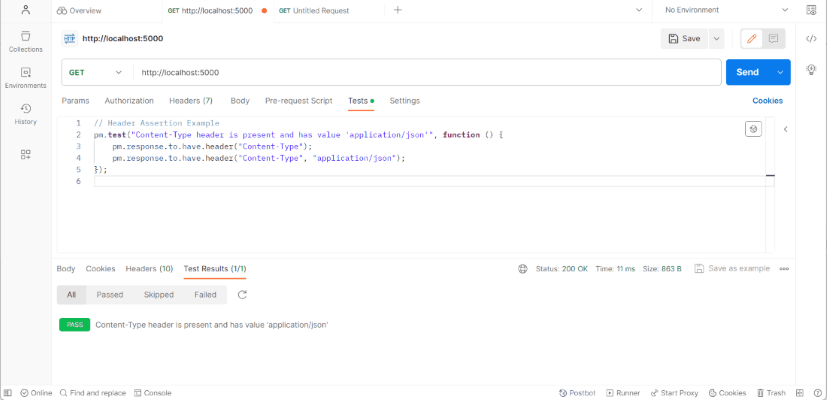
pm.test("Content-Type is application/json", function () {
const contentType = pm.response.headers.get("Content-Type");
pm.expect(contentType).to.include("application/json");
});
Output:
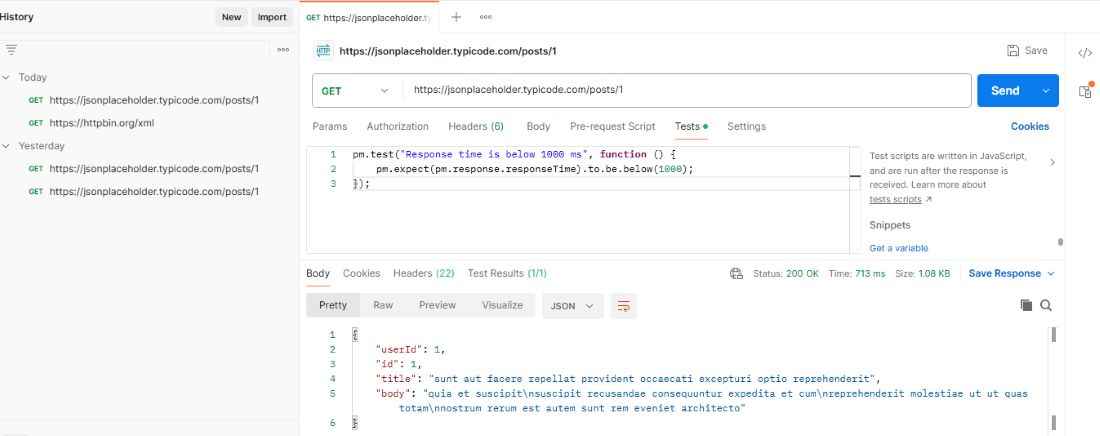
4. Response Time Assertions
Response Time Assertions verify whether an API responds within a specified time limit. They help identify requests that take longer than the expected performance threshold.
Steps to implement a Response Time Assertion:
- Create or select an API request in Postman.
- Open the Tests tab.
- Access the response time using pm.response.responseTime.
- Define the expected time limit using pm.expect().
- Click Send and check the Test Results.
pm.test("Response time is below 1000 ms", function () {
pm.expect(pm.response.responseTime).to.be.below(1000);
});
Output:
5. JSON Schema Assertions
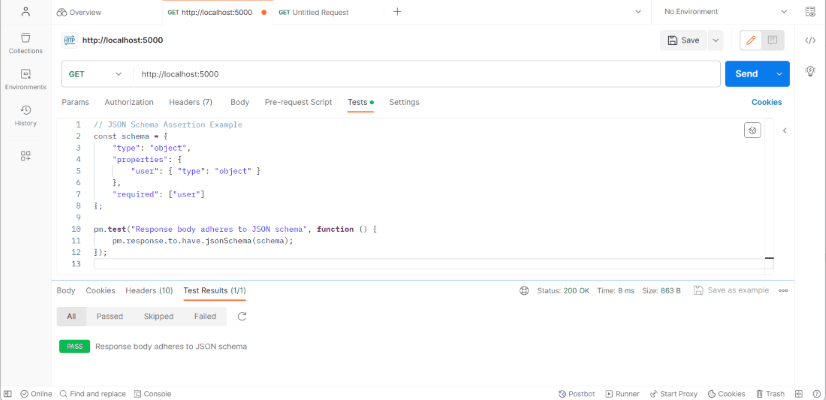
JSON Schema Assertions verify whether an API response follows the expected JSON structure. They help validate required properties, data types, and the overall format of the response.
Steps to implement a JSON Schema Assertion:
- Create or select an API request in Postman.
- Open the Tests tab.
- Define the expected JSON schema.
- Use pm.response.to.have.jsonSchema() to validate the response.
- Click Send and check the Test Results.
const schema = {
type: "object",
properties: {
user: {
type: "object"
}
},
required: ["user"]
};
pm.test("Response matches JSON schema", function () {
pm.response.to.have.jsonSchema(schema);
});
Output:
6. XML Assertions
XML Assertions verify whether an API's XML response contains the expected elements and values. They are useful when testing APIs that return data in XML format.
Steps to implement an XML Assertion:
- Create or select an API request that returns an XML response.
- Open the Tests tab.
- Access the XML response using pm.response.text().
- Write an assertion using pm.expect().
- Click Send and check the Test Results.
pm.test("XML response contains user ID", function () {
const xmlResponse = pm.response.text();
pm.expect(xmlResponse).to.include("<id>1</id>");
});
Output: