

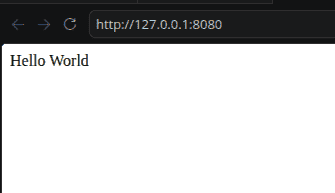
In this article, we will build a simple web application with a single home page. When the user opens the home page, Flask will return the message "Hello World".
Installation
To install Flask, open your terminal or command prompt and enter below command:
pip install Flask
This command installs Flask along with the required supporting libraries.
Creating app.py
Create a Python file named app.py and add the following code:
from flask import Flask

app = Flask(name)


@app.route('/')
def hello_world():


return 'Hello World'

if name == 'main':
app.run()
Explanation:
- Flask is imported from the flask module.
- Flask(name) creates the Flask application object.
- @app.route('/') maps the root URL to the hello_world() function.
- hello_world() returns the message displayed in the browser.
- app.run() starts the Flask development server.
- if name == 'main': block ensures the application runs when app.py is executed directly.
Running Application
- Save the code in app.py and run the following command:
python app.py
- Flask starts the development server and displays a local URL, usually:
http://127.0.0.1:5000/- Open the URL in the web
Output
Project Strcuture
This small application contains only file name app.py, So the project structure would be:
my_flask_app/
-app.py
After creating a basic application, you can learn how to build a CRUD application using Flask to work with data.
