

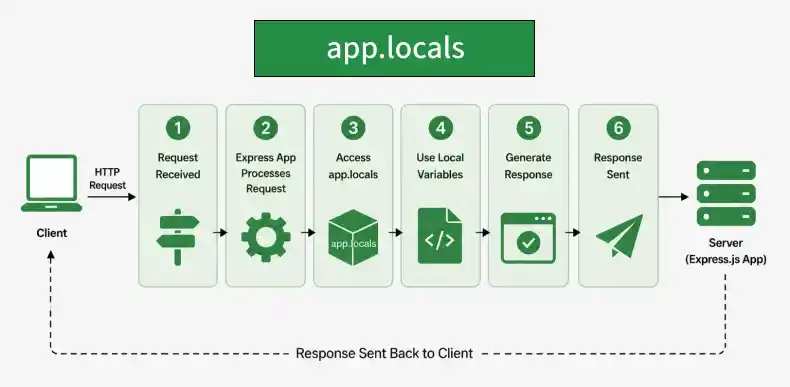
In Express.js, app.locals is an object used to store application-level variables that are available throughout the Express application. These variables can be accessed from different routes and middleware and are commonly used to store application configurations, shared data, or values that need to be passed to views and templates. The values are stored as key-value pairs.
Syntax
app.locals- No parameters are needed to access the app.locals object.
- It returns an object containing all the local variables for the application.
Installation of the express module:
You can visit the link to Install the express module. You can install this package by using this command.
npm install expressAfter installing the express module, you can check your express version in the command prompt using the command.
npm version expressAfter that, you can just create a folder and add a file, for example, index.js. To run this file you need to run the following command.
node index.jsExample 1: Simple Local Variables
This code sets up a basic Express.js server and demonstrates how to use app.locals to store and access global variables
//index.js
const express = require('express');
const app = express();
app.locals.email = 'demo@gmail.com'; // Setting a global variable
app.get('/', (req, res) => {
  res.send(app.locals.email); // Accessing the global variable
});
app.listen(3000, () => {
  console.log('Server running on port 3000');
});
Output:
Console Output:

Browser Output:
- Importing Express: The code starts by importing the Express module and creating an Express application.
- Setting an Application-Level Variable: app.locals.email = 'demo@gmail.com'; stores an email value in the app.locals object, which can be accessed throughout the application.
- Creating a Route: The app.get() method defines a route for the root URL (/). When a user visits this URL, it sends the email stored in app.locals as the response.
- Starting the Server: app.listen(3000, () => { console.log('Server running on port 3000'); }); starts the server on port 3000 and logs a message when the server is running.
Example 2: Storing Multiple Variables
This code sets up an Express web server and defines multiple application-level variables accessible throughout the app
//index.js
const express = require('express');
const app = express();
app.locals.domain = 'www.sample.com';  // Setting global domain
app.locals.age = '24';  // Setting global age
app.locals.company = 'ABC Ltd';  // Setting global company
app.get('/', (req, res) => {
  res.json(app.locals);  // Accessing multiple global variables
});
app.listen(3000, () => {
  console.log('Server running on port 3000');
});
Output
Console Output:
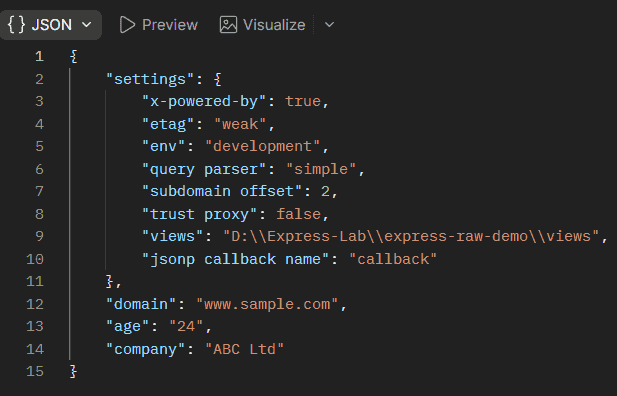
Browser Output:
- Importing Express: The code imports the Express module and initializes an Express application.
- Setting Application-Level Variables: app.locals is used to store multiple application-level variables such as domain, age, and company.
- Creating a Route: A route is defined for the root URL (/), which sends the values stored in app.locals as a JSON response.
- Starting the Server: The server listens on port 3000, and a message is logged when the server starts running.
Benefits of Using app.locals
- Application-wide Availability: Values stored in app.locals are available throughout the application, which helps reduce the need to repeatedly pass variables between routes or middleware
- Centralized Configuration: app.locals is ideal for storing application-level settings like environment configurations, application-specific data, or frequently used values
- Ease of Use: It simplifies the management of shared variables across different parts of your application, making your code more maintainable
