

The res.download() function is used to transfer a file from the server as an attachment. Typically, browsers prompt the user to download the file instead of displaying it directly.
Syntax:
res.download(path [, filename] [, options] [, fn])Parameters:
- path: The path of the file to be downloaded.
- filename (Optional): The name to use for the downloaded file. If not provided, the filename is derived from the path.
- options (Optional): An object used to configure the file transfer, such as root, maxAge, headers, and other res.sendFile() options.
- fn (Optional): A callback function that is called when the file transfer is complete or an error occurs.
Installation of the express module
You can visit the link to Install the express module. You can install this package by using this command.
npm install expressAfter installing the express module, you can check your express version in the command prompt using the command.
npm version expressAfter that, you can just create a folder and add a file, for example, index.js. To run this file you need to run the following command.
node index.jsThe res.download() function in Express.js allows you to download files from the server.
Example 1: Downloading a File
const express = require('express');
const app = express();
const PORT = 3000;
app.get('/', (req, res) => {
    res.download('Hello.txt');
});
app.listen(PORT, () => {
    console.log(`Server listening on PORT ${PORT}`);
});
Place any file in the root directory of the project which can be downloaded, like here we have used Hello.txt.
Steps to run the program:
Run the index.js file using the below command:
node index.jsOutput:
Console Output:

Browser Output: Open your browser and go to http://localhost:3000/, now you can see the "Hello.txt" file being downloaded on your screen.
Example 2: Downloading a File with a Custom Filename
const express = require('express');
const app = express();
const PORT = 3000;
app.get('/', (req, res) => {
    res.download('Hello.txt', 'GeeksforGeeks.txt');
});
app.listen(PORT, () => {
    console.log(`Server listening on PORT ${PORT}`);
});
Steps to run the program:
Run the index.js file using the below command:
node index.jsOutput:
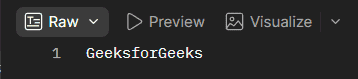
Browser Output:
Open your browser and go to http://localhost:3000/, then you will see the following output on your browser:
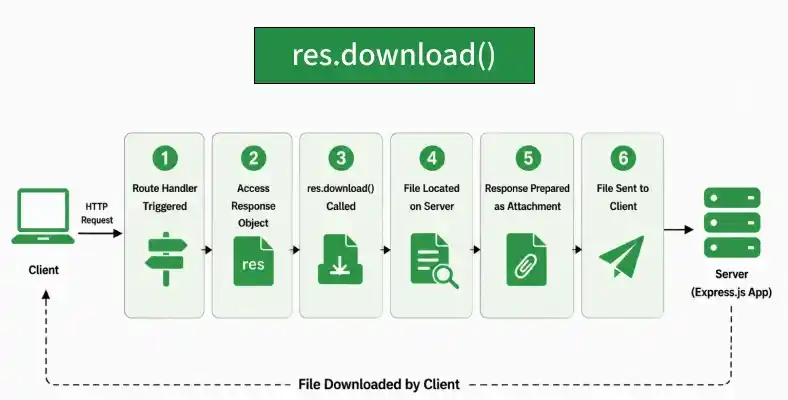
Working of res.download()
- An Express application receives a client request.
- The route handler gets access to the response object through res.
- res.download() locates the specified file on the server.
- Express sets the response as an attachment and derives the download filename from the file path or the provided filename.
- The file is transferred to the client, and the browser typically prompts the user to download it.
Use Cases of res.download()
- Downloading files from an Express application.
- Providing documents, reports, or other files to users.
- Allowing users to download files with a custom filename.
- Serving generated files as downloadable attachments.
- Providing file downloads through web applications and APIs.
Reference: https://expressjs.com/en/4x/api.html#res.download
