

Figma plugins are applications that extend Figma's built-in functionality and can make specific design tasks more efficient. They can help with tasks such as adding content, creating user flows, checking accessibility, managing themes, and creating animations.
Plugin popularity can change over time, so the following are useful and established examples rather than a fixed ranking.
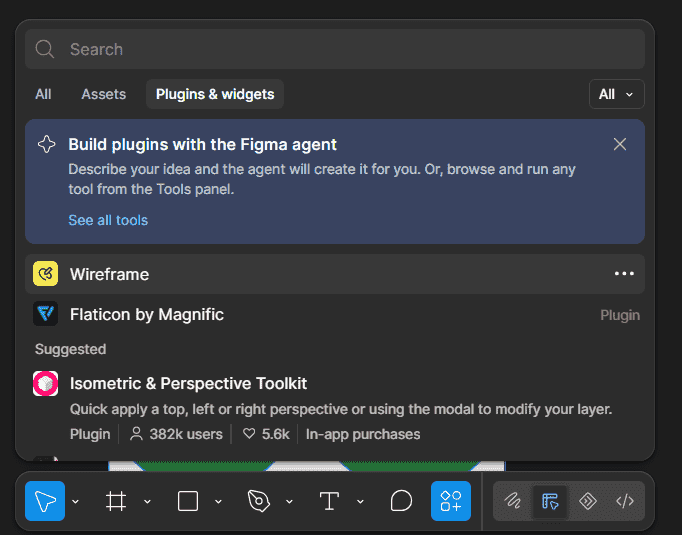
Popular Plugins for Figma
1. Content Reel: Created by Microsoft Design, helps add content to designs without entering everything manually. It can provide text strings, avatars, and icons, and it also supports custom image content.
Useful for:
- Adding sample text
- Adding avatars
- Adding icons
- Filling designs with realistic content
2. Autoflow: H1elps create user flows by automatically drawing connections between frames and shapes. Figma has highlighted its use for quickly creating UX flows alongside design files.
Useful for:
- User flows
- Screen-to-screen diagrams
- Showing navigation paths
3. Stark: provides accessibility tools for Figma, including contrast checking and other accessibility checks. Its tools are designed to help identify accessibility issues during the design process.
Useful for:
- Checking color contrast
- Reviewing accessibility
- Preparing more accessible designs
4. Figmotion: It is an animation tool for Figma. It allows designers to animate objects and export animations in formats such as WEBM, MP4, GIF, and WEBP.
Useful for:
- Creating animations
- Testing motion ideas
- Exporting animated designs
5. Themer: Helps users switch between styles from published libraries in bulk. Figma lists Themer as an example of a plugin that can make design-system workflows more efficient.
Useful for:
- Switching themes
- Working with published styles
- Managing large sets of styles
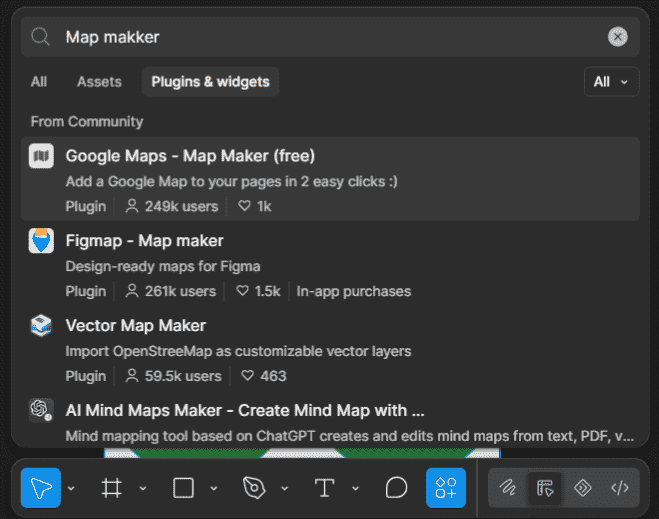
6. Map Maker: Can insert customized maps into shape layers. Figma includes it among examples of plugins that extend Figma's built-in functionality.
Useful for:
- Adding maps to designs
- Creating location-based layouts
- Building map-based interfaces
Choosing a Plugin for Your Workflow
The right plugin depends on the task you need to complete.
| Design Task | Useful Plugin |
|---|---|
| Add text, avatars, or icons | Content Reel |
| Create user flows | Autoflow |
| Check accessibility | Stark |
| Create animations | Figmotion |
| Switch published styles | Themer |
| Add customized maps | Map Maker |
These examples cover different workflows rather than replacing Figma's core design features. Figma's Community also contains many other plugins that can be searched by category and other filters.
Benefits of Using Plugins
- Save time: Plugins can automate or simplify repetitive tasks.
- Extend Figma: They add functionality that may not be available as a built-in feature.
- Support specific workflows: Different plugins are designed for tasks such as accessibility, content generation, animation, and user flows.
- Reduce manual work: Tasks that would otherwise require repeated actions can be handled more efficiently.
Limitations of Plugins
- Plugins are third-party tools: Their features and support depend on their creators.
- They must be run manually: Figma does not run plugins automatically in the background.
- Only one plugin can run at a time.
- Access can depend on the file and plan: Plugin availability differs by Figma product, plan, and seat type.
- Licensing varies: Free and paid plugins can have different licensing terms and usage conditions.
Key Points
- Plugins extend Figma's functionality for specific workflows.
- Content Reel helps add text, avatars, and icons.
- Autoflow helps create user flows.
- Stark supports accessibility checking.
- Figmotion is used for animation.
- Themer helps switch published styles in bulk.
- Map Maker adds customized maps to designs.
- Plugin features, access, and licensing can vary, so check the plugin's current Community listing before using it.
