

Postman provides a structured approach for organizing, executing, and automating API tests. An API testing workflow helps testers manage requests, configure environments, add scripts, validate responses, and execute multiple requests efficiently.
- Organize related API requests using collections.
- Use environments and variables to manage different API configurations.
- Automate request preparation, response validation, and collection execution using Postman scripts and collection runs
Getting Started with API Testing Workflow in Postman
Let's understand how to create and execute an API testing workflow in Postman.
Step 1: Creating a Collection
The first step is to organize related API requests into a collection. Collections make it easier to manage and execute multiple requests as part of an API testing workflow.
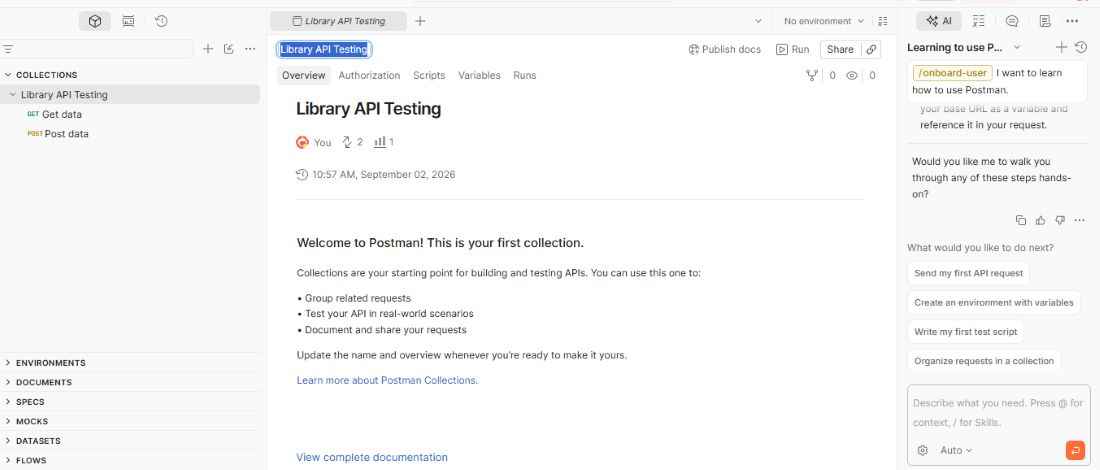
- Open Postman and go to Collections.
- Click New Collection.
- Enter a name, such as Library API Testing.
Step 2: Adding API Requests
Add the API requests that you want to test to the collection.
For example, you can test a Library API using the /books endpoint.
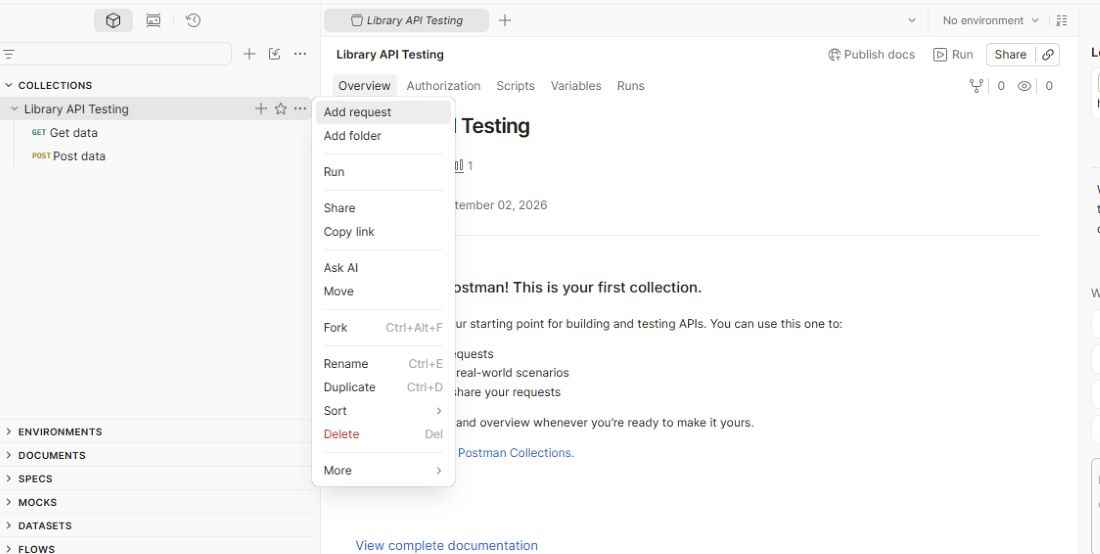
- Open the Library API Testing collection.
- Click Add Request.
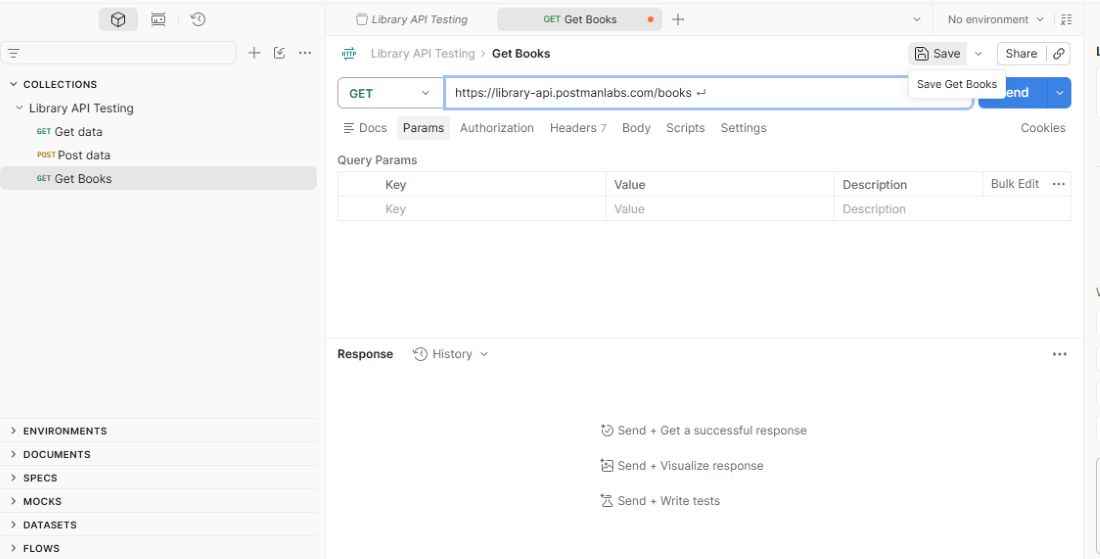
- Give the request a meaningful name, such as Get Books.
- Select the appropriate HTTP method, such as GET.
- Enter the API endpoint:
https://library-api.postmanlabs.com/books
- Save the request to the collection.
Step 3: Setting Up an Environment
Environments allow you to store variables for different configurations, such as development, testing, and production.
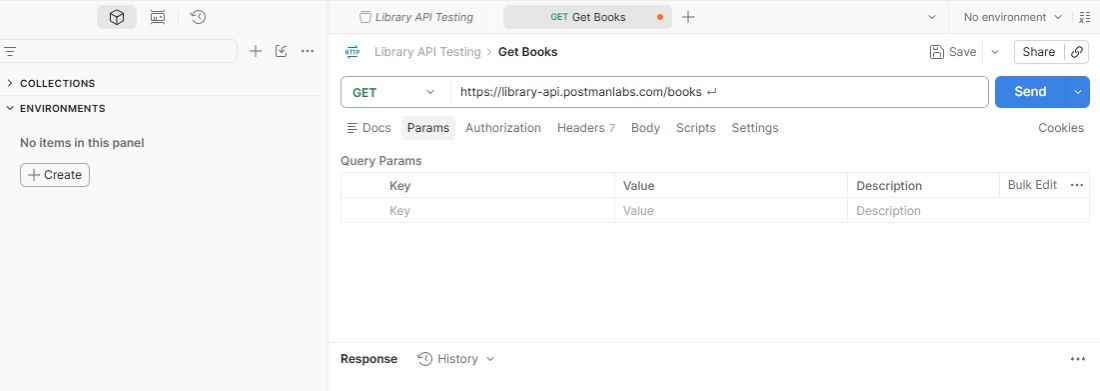
- Open Environments in Postman.
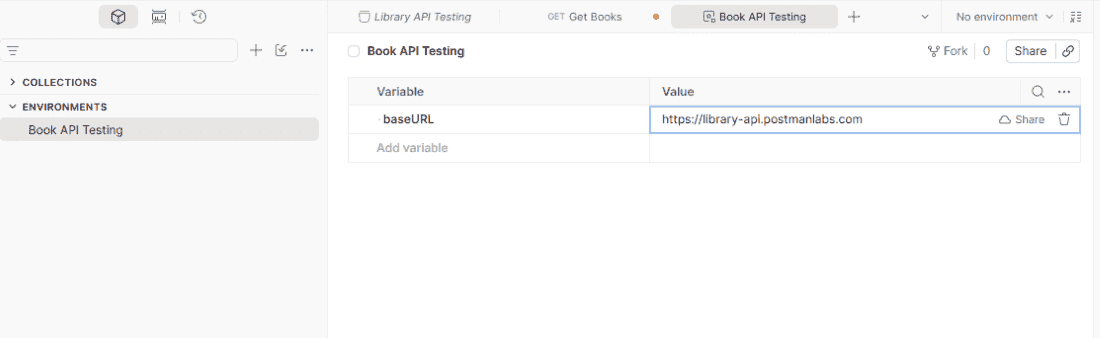
- Create a new environment named Book API Testing.
- Add a variable named
baseURL. - Set its value to:
https://library-api.postmanlabs.com
- Select the Book API Testing environment from the environment selector.
- Open the Get Books request created earlier.
- Update its request URL to use the environment variable:
{{baseURL}}/books
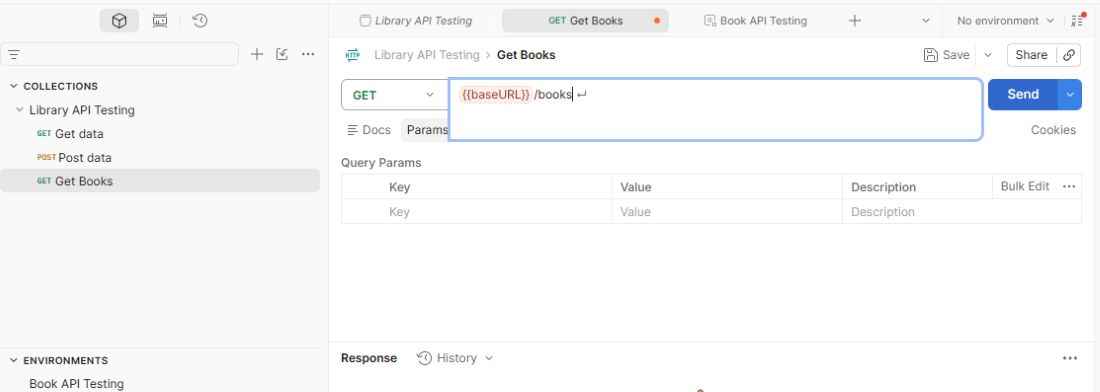
- Click Send to execute the request and review the response.
Step 4: Adding a Before Request Script
Before request scripts run before an API request is sent. They can be used to set variables, generate dynamic values, or prepare request data.
- Open the Get Books request.
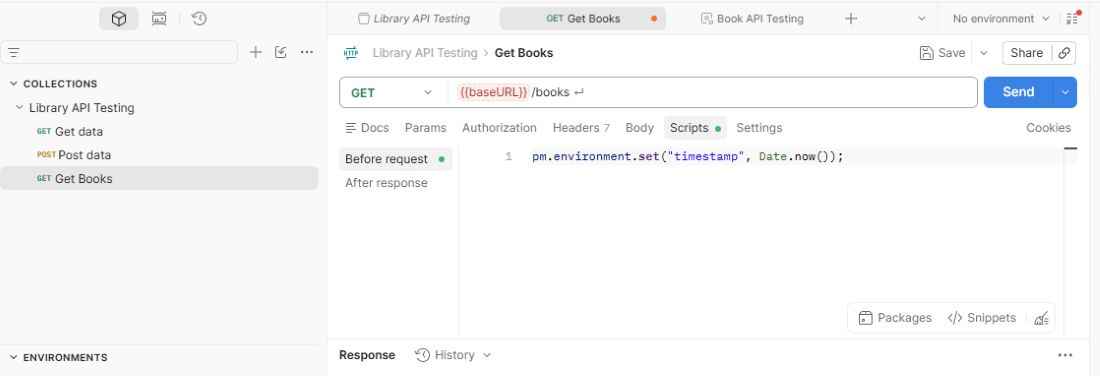
- Click the Scripts tab.
- Select Before request.
- Add the following script:
pm.environment.set("timestamp", Date.now());
This script stores the current timestamp in an environment variable before the API request is sent.
Step 5: Adding Response Tests
Response tests run after the API request is completed and are used to validate the API response.
- Open the Get Books request.
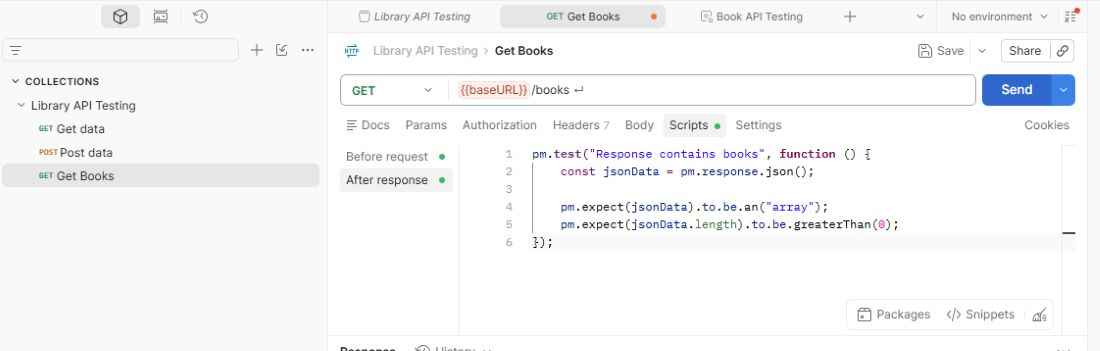
- Click the Scripts tab.
- Select After request.
- Add the following test script:
pm.test("Response contains books", function () {
const jsonData = pm.response.json();
pm.expect(jsonData).to.be.an("array");
pm.expect(jsonData.length).to.be.greaterThan(0);
});
- Click Send to execute the request.
- Review the test results to verify that the API response meets the expected conditions.
Step 6: Running the Collection
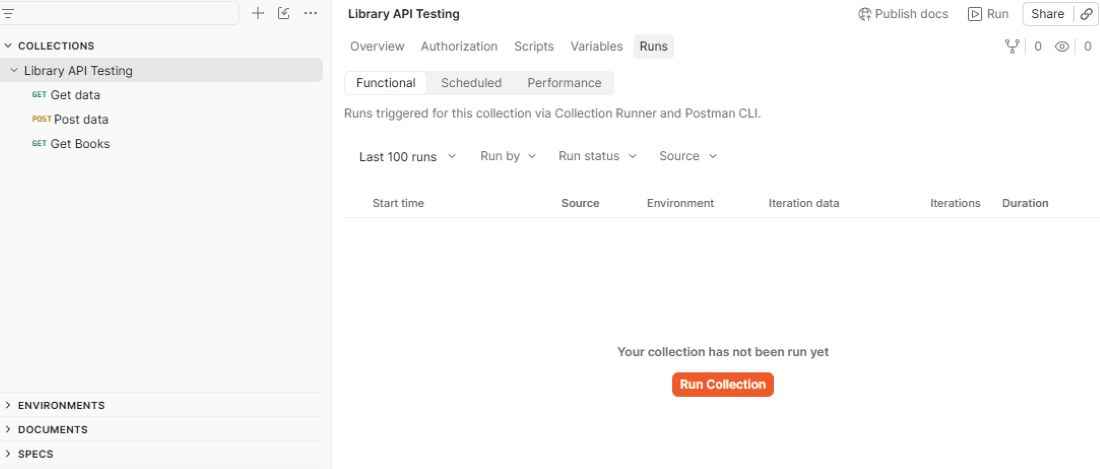
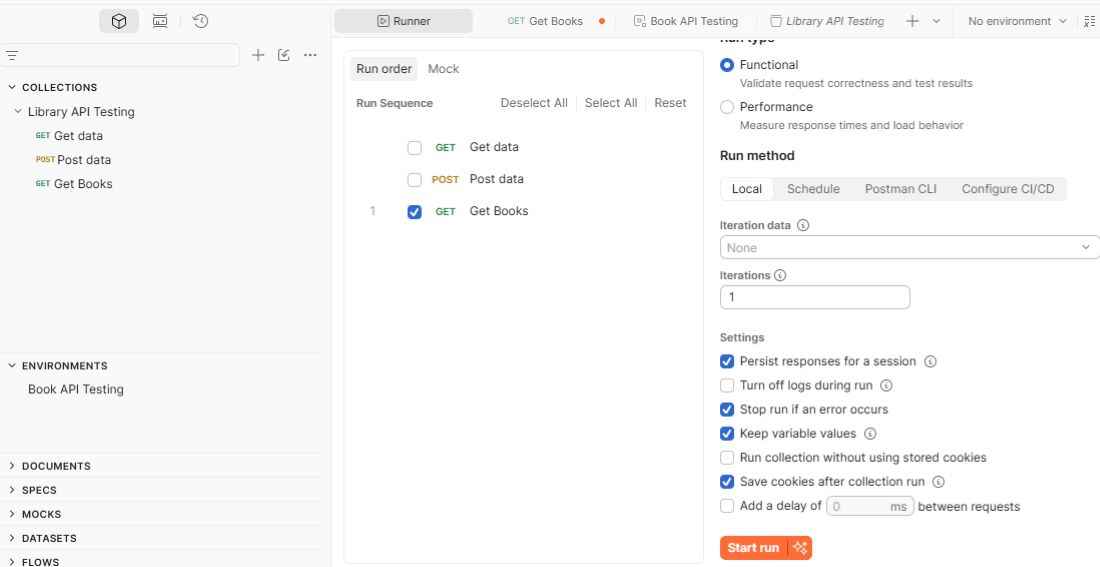
The Collection Runner allows you to execute multiple API requests in a collection and review their test results.
- Open the Library API Testing collection.
- Click Run to open the Collection Runner.
- Select the Book API Testing environment.
- Choose the requests you want to execute.
- Click Run to execute the collection.
- Review the request results and test results after execution.
Sharing and Collaborating on API Collections
Postman allows teams to share collections and collaborate on API development and testing.
- Share collections with team members through shared workspaces.
- Export collections when they need to be shared as files.
- Use the Run in Postman option to share collections through documentation or websites.
- Share collections with other users when appropriate to support collaboration and reuse.
Advanced API Testing Features in Postman
Postman provides additional features that help automate and scale API testing workflows.
- Configure authentication methods such as API keys, Bearer tokens, and OAuth.
- Perform data-driven testing using CSV or JSON files.
- Use scripts to pass data between requests and create dynamic API testing scenarios.
- Control request execution order using scripts when running collections.
- Create reusable collection and folder-level scripts for common testing logic.
Use Cases
Postman can be used in several practical scenarios to simplify API testing, automation, and collaboration.
- Automate API testing as part of the development workflow.
- Integrate Postman collections into CI/CD pipelines using Newman.
- Run collections regularly to monitor API functionality and availability.
- Create mock servers when actual backend services are unavailable.
- Collaborate with team members using shared collections and workspaces.
- Build API testing scenarios that involve multiple dependent requests.
