Serving static pages is interesting, but a real application needs input from the user, and in the web this is mostly done by sending a query strings in an HTTP GET request, or by posting data in an HTTP POST request. Let’s see how we can handle this in Azure Functions.
So let’s go to our function app and create a new function:
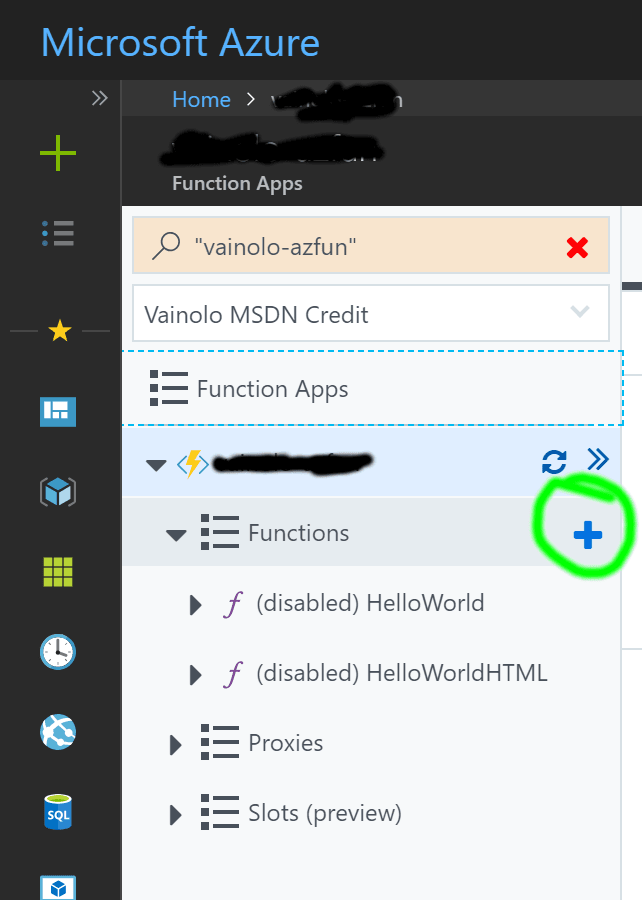
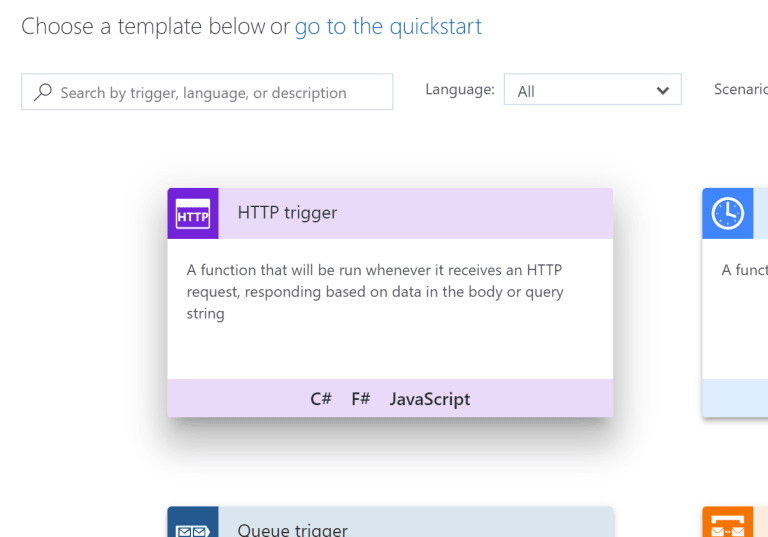
As before, this function will have an HTTP trigger:
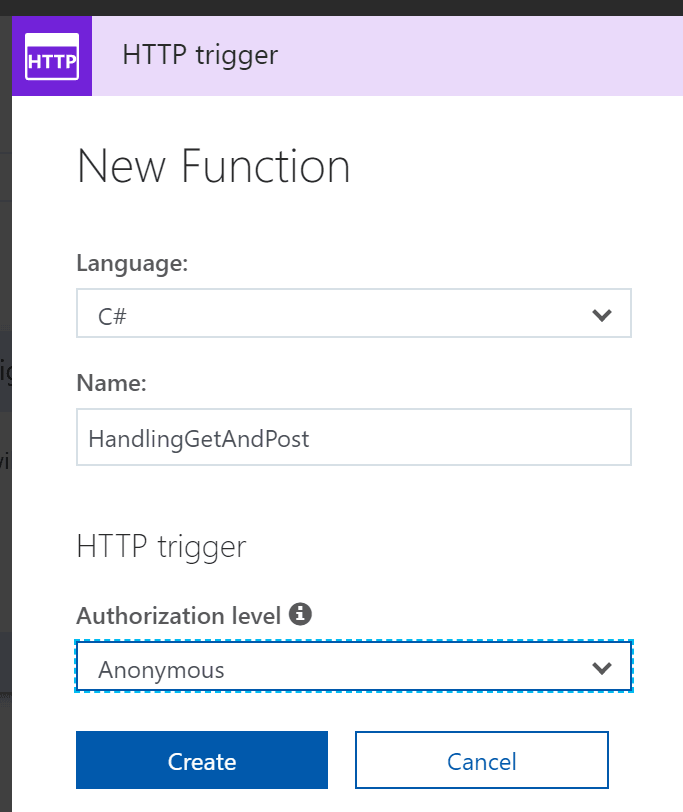
And lastly let’s set the language to C#, name it “HandlingGetAndPost”, and set the authentication to Anonymous:
Once again we get the default Azure HTTP Function template for C#, which in this case also contains much code that is relevant to this example! The default examples uses req.GetQueryNameValuePairs().FirstOrDefault(q => string.Compare(q.Key, "name", true) == 0) to fetch the first parameter called “name” that comes in the query string.
using System.Net;
public static async Task<HttpResponseMessage> Run(HttpRequestMessage req, TraceWriter log)
{
    log.Info("C# HTTP trigger function processed a request.");
    // parse query parameter
    string name = req.GetQueryNameValuePairs().FirstOrDefault(q => string.Compare(q.Key, "name", true) == 0).Value;
    if (name == null)
    {
        // Get request body
        dynamic data = await req.Content.ReadAsAsync<object>();
        name = data?.name;
    }
    return name == null
        ? req.CreateResponse(HttpStatusCode.BadRequest, "Please pass a name on the query string or in the request body")
        : req.CreateResponse(HttpStatusCode.OK, "Hello " + name);
}
We will add some more code so the function can handle both GET and POST requests, and depending on the type of request it receives, parse the query string or the payload send in the POST request:
#r "Newtonsoft.Json"
using System.Net;
using Newtonsoft.Json;
using Newtonsoft.Json.Linq;

public static async Task<HttpResponseMessage> Run(HttpRequestMessage req, TraceWriter log)
{
    log.Info("C# HTTP trigger function processed a request.");
    string name = null;
    if (req.Method == HttpMethod.Post)
    {
        log.Info($"POST method was used to invoke the function");
        string body = await req.Content.ReadAsStringAsync();
        dynamic b = JObject.Parse(body);
        name = b.name;
    }
    else if (req.Method == HttpMethod.Get)
    {
        log.Info($"GET method was used to invoke the function");
        name = req.GetQueryNameValuePairs().ToDictionary(x => x.Key, x => x.Value)["name"];
    }
    return name == null
        ? req.CreateResponse(HttpStatusCode.BadRequest, "Please pass a name on the query string or in the request body")
        : req.CreateResponse(HttpStatusCode.OK, "Hello " + name);
}
Using req.Method we check if the request was done with the GET or POST verb, and based on that we process the query string or the body of the request to fetch the value for “name”. Pretty straightforward.
So let’s test this through the Azure portal. On the right side of the editor there is a “Test” tab where we can set the query parameters and the request body, select which HTTP method to use, and send the data to the service by clicking on “Run” on the lower right corner.
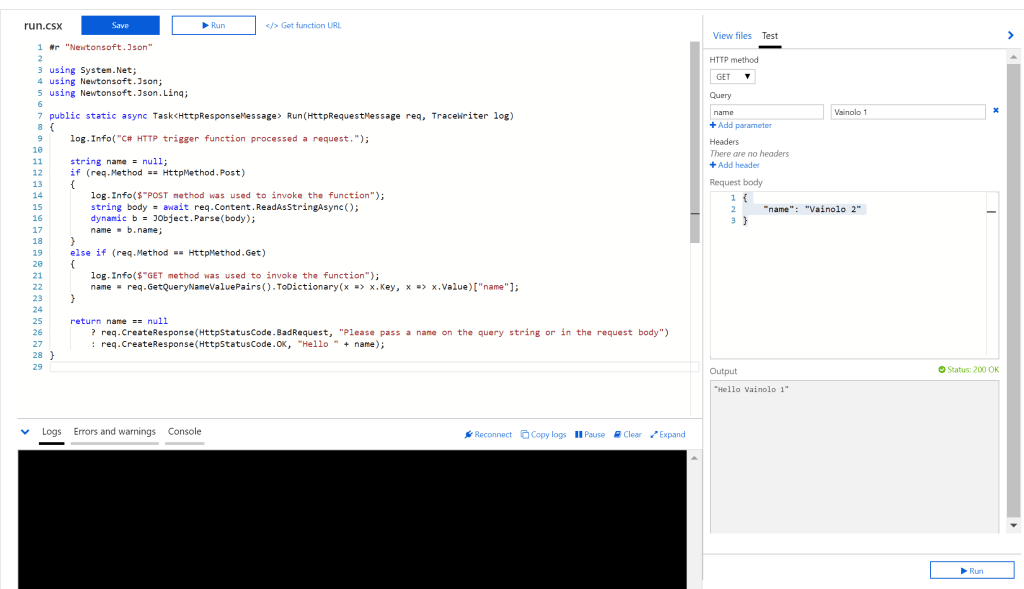
Works like a charm
| Published on Java Code Geeks with permission by Arieh Bibliowicz, partner at our JCG program. See the original article here: Azure Functions – Part 3: Handling HTTP Query GET and POST Requests Opinions expressed by Java Code Geeks contributors are their own. |