Split Screen

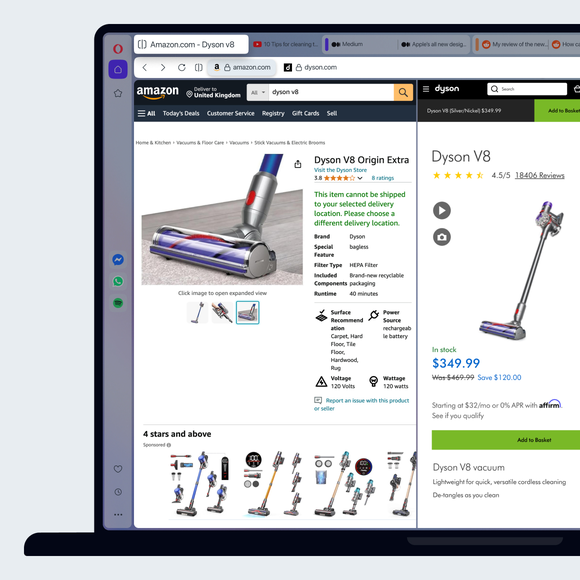
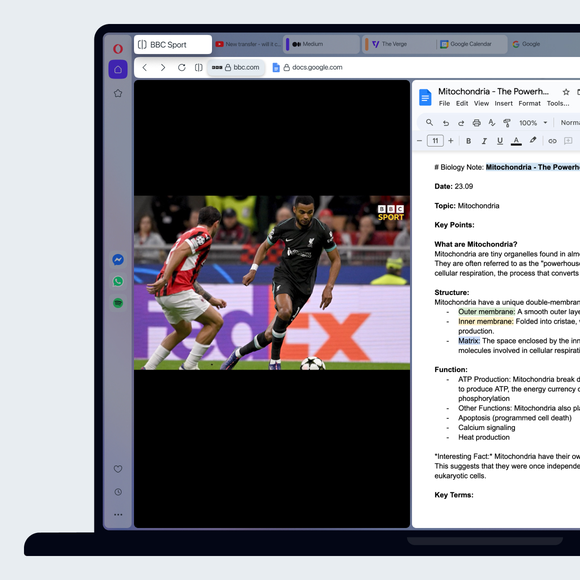
Split your screen in Opera with ease. Use two, three or four at once, no switching needed. Compare, research and browse side by side. See more
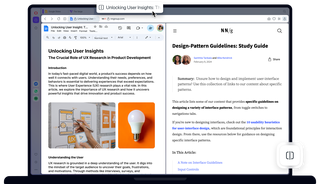
Browser window in Split Screen mode showing article and document side by side.

Benefits of Split Screen

Save time and stay focused by viewing up to four pages at once in one tab. No extension needed.

Focused

Eliminate distractions. Stop the constant tab switching and resizing.

Convenient

Manage all split-screen tabs in one address bar for easy control.

Flexible

Choose vertical, horizontal, or grid layouts to suit your workflow.

Easy

Drag a tab down, or right-click a tab and select Create Split Screen.

Split Screen feature displaying various view options.

Split screen in seconds

View two to four sites side-by-side with a simple drag-and-drop.

One address bar gives you clutter-free access to bookmarks and all split pages. 

Choose vertical, horizontal, or grid views, and resize each panel to fit your workflow perfectly.

Split Screen mode showing spreadsheet, presentation, and documents.

Separate or close in a click

Hover over any tab and click the X to close either the entire Split Screen or just that tab.

You can also click Exit Split Screen on hover, or in the context menu. 

To remove one page from multi-page splits, right-click a tab and choose Disconnect from Split Screen.
01
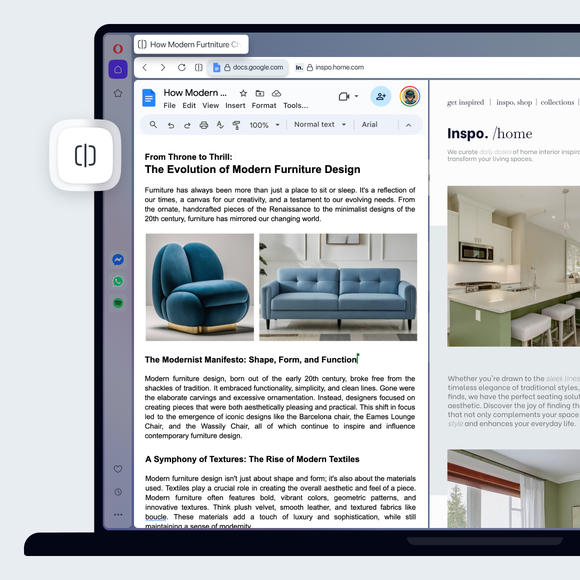
Split your screen across multiple tabs

Split your screen across multiple tabs

Tab Islands

Group related tabs to save space and switch contexts easily.

Ad Blocker

Block ads and browse the web with fewer interruptions.

Free VPN

Browse with added privacy using Opera’s built-in VPN.

Opera AI

Chat, create, and analyze tab content with built-in AI assistant.

Workspaces

Organize tabs into separate spaces for different tasks.

Integrated messengers

Chat on WhatsApp, Messenger, and more from Opera’s sidebar.

Vertical Tabs

See page titles clearly and find the tabs you need.

Search in Tabs

Search your open tabs by keyword to find the one you need.

Tab Emojis

Personalize your tabs with emojis for easy recognition.

Easy Files

Upload recently downloaded files without searching.

Browser AI

Support your work with built-in Opera AI, ChatGPT, and Gemini.

AI Image Generator

Create stunning AI images from text prompts for free.

Integrated Social Media

Get instant access to X, TikTok, Bluesky, Twitch, and Instagram.

Translate in Opera

Translate entire pages or selected text with one click or automatically.

Google Services

Keep Gemini, Gmail, Calendar and Google Translate close at hand.

WhatsApp

Bring WhatsApp to your computer.

Slack in Opera

Stay on top of team conversations without leaving your workspace.

Messenger

Stay in touch with friends without interrupting what you’re doing.

Discord in Opera

Stay connected with your Discord communities in Opera’s sidebar.

Telegram Messenger

Chat in Telegram on desktop in the Opera browser.

Instagram

Check DMs, catch up on stories, and watch reels in the sidebar.

X

Follow breaking conversations and trending tweets faster.

Bluesky in Opera

Discover new voices and communities right from your sidebar.

TikTok in Opera

Watch your feed and upload videos without opening another tab.

Music Player

Access your favorite music and podcasts from Opera’s sidebar.

Spotify

Access Spotify playlists and control playback as you browse.

Deezer

Stream your favorite Deezer tracks without interrupting your browsing.

YouTube

Enjoy your favorite YouTube videos right from Opera’s sidebar.

Video Popout

Watch videos in a floating window while you browse other tabs.

Lucid Mode

Enhance online videos and images in one click.

Volume Booster

Increase your browser volume by up to 500% natively.

Opera VPNs

Browse with an extra layer of privacy using Opera’s built-in VPN.

Personal News

A customizable and convenient newsfeed on your start page.

Opera Themes

Completely transform the look, sound and feel of your browser.

Battery Saver

Browse longer on your laptop with less battery drain.

VPN Pro

Get enhanced privacy for your entire device with 48 VPN locations.

Unit Converter

Convert currencies, time zones, and measurements in one click.

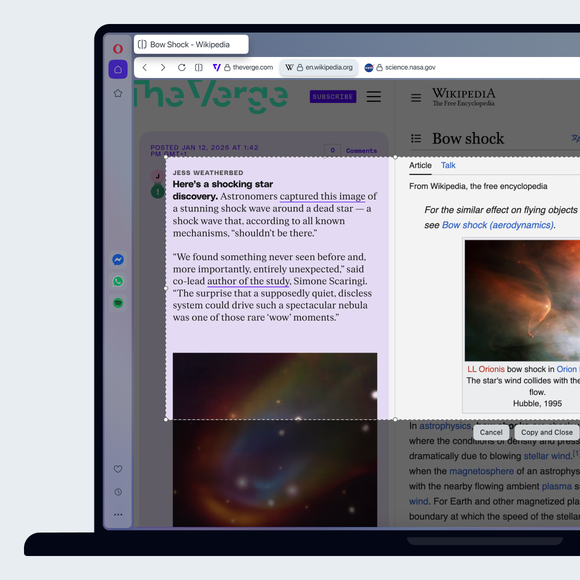
Snapshot

Capture, edit and share snapshots of webpages.

Opera Bookmarks

Save your favorite websites for quick and easy access.

Opera Sync

Sync your open tabs, bookmarks, history, and more across devices.

Flow

Send files, links, and notes between your devices instantly.

Pinboards

Collect visual web content and share your favorite finds.
01

You deserve a better browser

Opera's free VPN, Ad Blocker, and Flow file sharing. Just a few of the must-have features built into Opera for faster, smoother and distraction-free browsing designed to improve your online experience.
You deserve a better browser