A homelab UPS has one job your desk UPS does not: hold the load steady long enough for a NAS, a Proxmox node, or a ZFS pool to flush its writes and shut down cleanly. Get that wrong and a two-second flicker can mean a corrupted pool or a half-written database. So the choice comes down to two things most “best UPS” lists skip: a pure sine wave output that your server’s power supply will actually accept, and clean integration with Network UPS Tools so the box shuts itself down on low battery.
There are seven UPS units worth buying for a homelab or NAS in 2026, split by load size and whether you mount it in a rack. Below is where each one wins, the specs we verified against the manufacturer, how to size one from a real watt reading, and a tested NUT setup that turns any of them into a self-protecting box on Proxmox, TrueNAS, Unraid, or a Synology.
Current as of October 2026. The graceful-shutdown setup below was tested with Network UPS Tools 2.8.1 on Debian 13.
The short version
If you only read one line: get the CyberPower CP1500PFCLCD for a tower homelab, or the CyberPower CP1500PFCRM2U if it lives in a rack. Both are pure sine wave, both are rated 1000W, and both speak NUT over USB. Here is the full set of picks:
- Best overall (tower): CyberPower CP1500PFCLCD. Pure sine, 1000W, the homelab default.
- Best APC pick: APC Back-UPS Pro BR1500MS2. Pure sine from APC without Smart-UPS pricing.
- Best for a serious rack or cluster: APC Smart-UPS SMT1500C. Long runtime, a real management card slot, serviceable batteries.
- Best rackmount: CyberPower CP1500PFCRM2U. 2U, 1000W pure sine, fits a 14-inch-deep rack.
- Best rack runtime: CyberPower OR1500PFCRT2U. 2U, 1050W, 17 minutes at half load, converts to tower.
- Best budget for a single NAS: CyberPower CP1000PFCLCD. Pure sine at the lowest sensible price.
- Best for a low-draw NAS or network shelf: CyberPower CP850PFCLCD. Small, pure sine, cheap.
How we tested and what actually matters
Every spec, waveform, and outlet count below was confirmed against the manufacturer’s own product page, and each Amazon listing was checked to confirm it resolves to the exact model and is currently in stock. Prices move constantly, so treat the figures here as ballparks and check the live price before you buy.
The part we ran ourselves is the software. A UPS is only useful if your server reacts to it, so we built the full Network UPS Tools chain on Debian 13 (the same base Proxmox runs on) and drove it through a real power-loss sequence using NUT’s simulation driver. That let us confirm the exact behaviour you care about: the moment the battery hits the low threshold, upsmon runs the shutdown command. The runtime numbers per model are from the manufacturers’ own runtime calculators and published reviews, not our bench, and we say so where it matters.
The single spec that separates a server UPS from a gaming-PC UPS is the output waveform. Cheap units output a stepped, blocky approximation of mains power. A modern power supply with Active PFC (every 80 Plus unit, which means basically every server and NAS) can read that stepped output as unstable and either drop the load or shut down the instant the UPS switches to battery, which is the exact moment you needed it to hold. Pure sine wave avoids that entirely. All seven picks are line-interactive units with pure sine output on battery, which is the right topology for a homelab: the CyberPower flagship, for example, lists a typical 4 ms transfer time, fast enough that a PFC supply never notices the switch.
UPS comparison at a glance
| Model | VA / Watts | Waveform | Form factor | NUT driver | Approx price |
|---|---|---|---|---|---|
| CyberPower CP1500PFCLCD | 1500 / 1000 | Pure sine | Mini-tower | usbhid-ups | ~$240 |
| APC Back-UPS Pro BR1500MS2 | 1500 / 900 | Pure sine | Tower | usbhid-ups | ~$300 |
| APC Smart-UPS SMT1500C | 1440 / 1000 | Pure sine | Tower | usbhid-ups / snmp-ups | ~$715 |
| CyberPower CP1500PFCRM2U | 1500 / 1000 | Pure sine | 2U rack | usbhid-ups | ~$360 |
| CyberPower OR1500PFCRT2U | 1500 / 1050 | Pure sine | 2U rack / tower | usbhid-ups | ~$640 |
| CyberPower CP1000PFCLCD | 1000 / 600 | Pure sine | Mini-tower | usbhid-ups | ~$180 |
| CyberPower CP850PFCLCD | 850 / 510 | Pure sine | Mini-tower | usbhid-ups | ~$170 |
1. CyberPower CP1500PFCLCD: best overall
This is the unit in most homelabs, and for good reason. It is pure sine wave, rated 1500VA/1000W, has a tilting LCD that shows live load and runtime, and CyberPower’s USB interface maps straight to NUT’s usbhid-ups driver with zero fuss. With more than eleven thousand ratings it is also the most road-tested pick here.
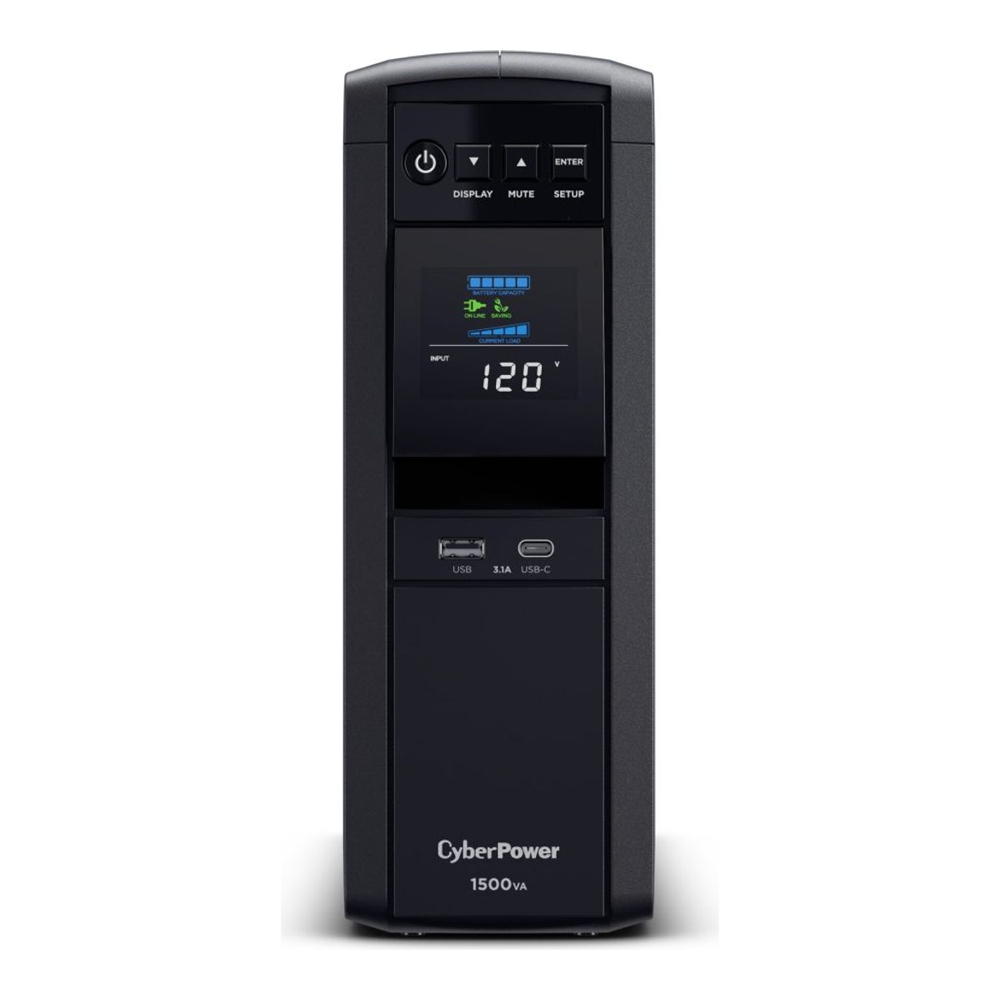
Of its twelve outlets, six are battery plus surge and six are surge only, so a NAS, a switch, and a Proxmox node all get real runtime while the printer and monitor sit on surge protection. A typical homelab drawing 150W will run well past twenty minutes, which is far more than the minute or two you actually need to trigger a clean shutdown.
Who it’s for: anyone running a tower NAS or one or two homelab mini PCs under about 500W. It is the safe default. Skip it if: you need rack mounting, or you want a UPS with a hot-swappable battery and a network management card.
2. APC Back-UPS Pro BR1500MS2: best APC pick
If you would rather be in the APC ecosystem, the Back-UPS Pro BR1500MS2 is the one to get. It is genuine pure sine wave, Active PFC compatible, rated 1500VA/900W, and adds USB-A and USB-C charging ports on the front for phones and small devices. It works with NUT’s usbhid-ups driver, which is the route we recommend over APC’s older apcupsd (more on that below).
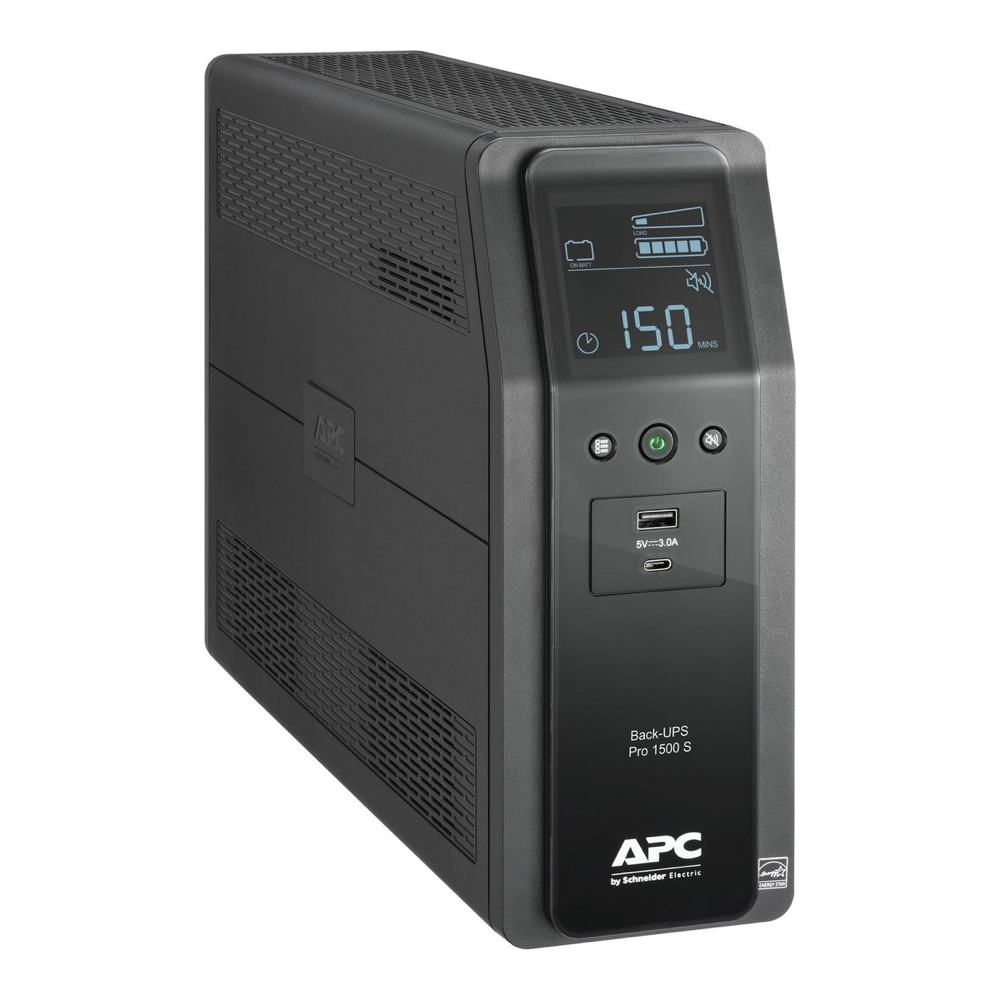
At 900W its real-power headroom is a touch lower than the CyberPower, which is irrelevant for a 150W to 300W homelab load and only matters if you are powering something hungry. Ten outlets split six battery-backed and four surge-only.
Who it’s for: buyers who trust the APC name and want pure sine without paying Smart-UPS money. At about $300 it now costs more than the CyberPower flagship for less real output, so pick it for the brand, not the value. Skip it if: you need more than 900W of real output, or you want a serial port or a management-card slot.
3. APC Smart-UPS SMT1500C: best for a serious rack or cluster
The Smart-UPS is a different class of machine. It is line-interactive and pure sine like the others, but it is built to be serviced: hot-swap batteries, a SmartSlot for a network management card, SmartConnect cloud monitoring, and the longest runtime of any 1500VA unit here (well over an hour at a light homelab load). If a UPS is protecting a small cluster you cannot afford to lose, this is the one. It has also become hard to buy. Schneider lists it as non-stock in distribution, and new units on Amazon now run around $715 with only a few left at a time, so check stock before you plan around it. If you want the network card anyway, the SMT1500CNC is the same UPS with a network management card preinstalled, in stock at about $1,060.
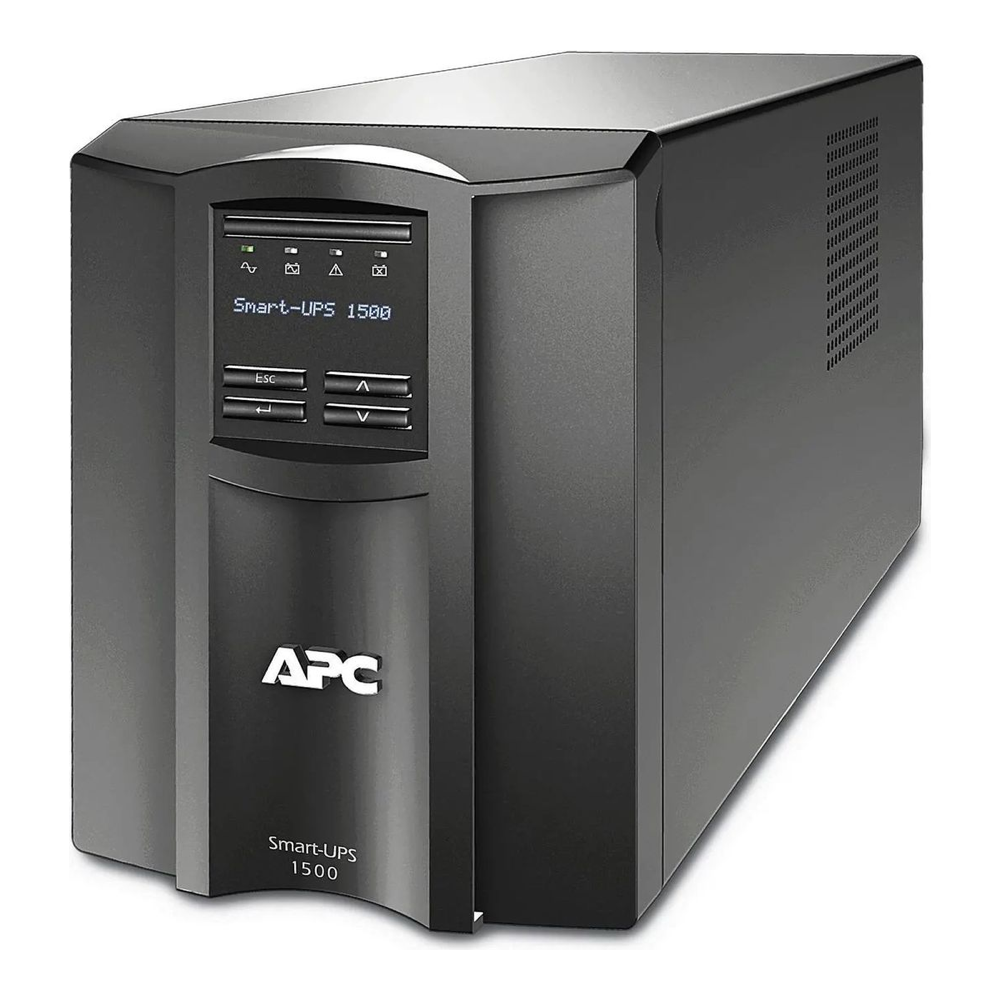
One honest caveat on the name: this is a line-interactive UPS, not an online double-conversion unit. That is the right topology for a homelab, but do not buy it expecting true online conversion. Over USB it drives NUT’s usbhid-ups driver; with a network management card you can monitor it over the network with snmp-ups instead.
Who it’s for: a serious rack or a multi-node cluster where long runtime and a serviceable, network-managed UPS earn their cost. Skip it if: you are price-driven, because it costs about three times the CyberPower for protection a 150W lab does not strictly need.
4. CyberPower CP1500PFCRM2U: best rackmount
For most homelab racks this is now the one to buy. It is the same PFC Sinewave family as the flagship, rated 1500VA/1000W in a 2U chassis, and at about $360 on Amazon it costs a little over half what the OR1500PFCRT2U below is selling for. All eight outlets are battery-backed, the battery is hot-swappable, and typical transfer time is 8 ms, double the tower flagship’s 4 ms but still within what a PFC supply rides through. It speaks the same USB-HID protocol as the rest of the CyberPower line, so the usbhid-ups setup further down applies unchanged.

The detail that matters in a homelab rack is depth. The chassis is only 10.5 inches deep and CyberPower rates it for racks as shallow as 14 inches, which covers the short network racks and wall-mount cabinets most home setups use. It also has a slot for an optional network management card if you later want SNMP. Where it falls short is runtime: CyberPower quotes 10.2 minutes at half load and 3.1 minutes at full load, plenty for a clean shutdown but not for riding out a long outage.
Who it’s for: a 19-inch rack of mini PCs, a NAS, and a switch that needs pure sine and a clean shutdown at a fair price. Skip it if: you want the UPS to keep the lab running through a 15-minute outage, which is what the next pick is for.
5. CyberPower OR1500PFCRT2U: best rack runtime
The OR1500PFCRT2U is the heavier-duty rack option. It is a 2U pure sine wave unit rated 1500VA/1050W (the most real watts of the CyberPower picks here), it converts between rack and tower with the included hardware, and it uses the same usbhid-ups path we tested. Eight outlets, all battery-backed. The reason to pay more for it is the battery: CyberPower quotes 17 minutes at half load and 7.7 minutes at full load, against 10.2 and 3.1 for the CP1500PFCRM2U. That extra runtime comes at a cost of 15.3 inches of depth and 50.6 lb, so measure the rack first.
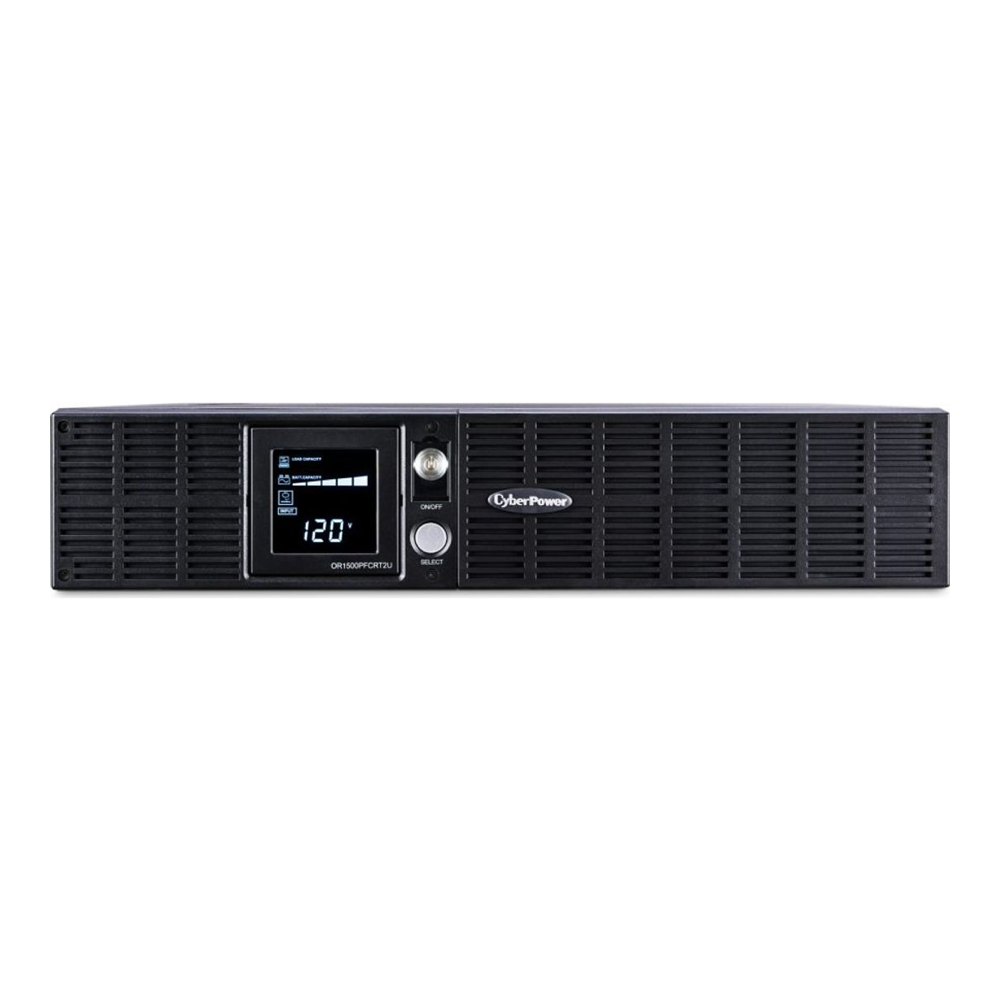
If you want maximum watts in 2U, the Tripp Lite SMART1500RM2U pushes 1350W of pure sine in the same height and accepts an optional SNMP card, but it is an older design and now sells for around $910. For most racks one of the two CyberPowers is the better buy.
Who it’s for: a rack where you want the lab to ride through short outages, not just shut down. It is running low on Amazon stock, so check availability. Skip it if: the rack is shallow, or the UPS sits next to your desk, because rack units have audible charger and fan noise.
6. CyberPower CP1000PFCLCD: best budget for a single NAS
A four-bay NAS plus a 2.5GbE switch rarely draws more than 150W, and for that the CP1000PFCLCD is plenty. It is the same pure sine wave family as the flagship, rated 1000VA/600W, with the LCD and the USB-HID interface NUT expects, at a noticeably lower price.
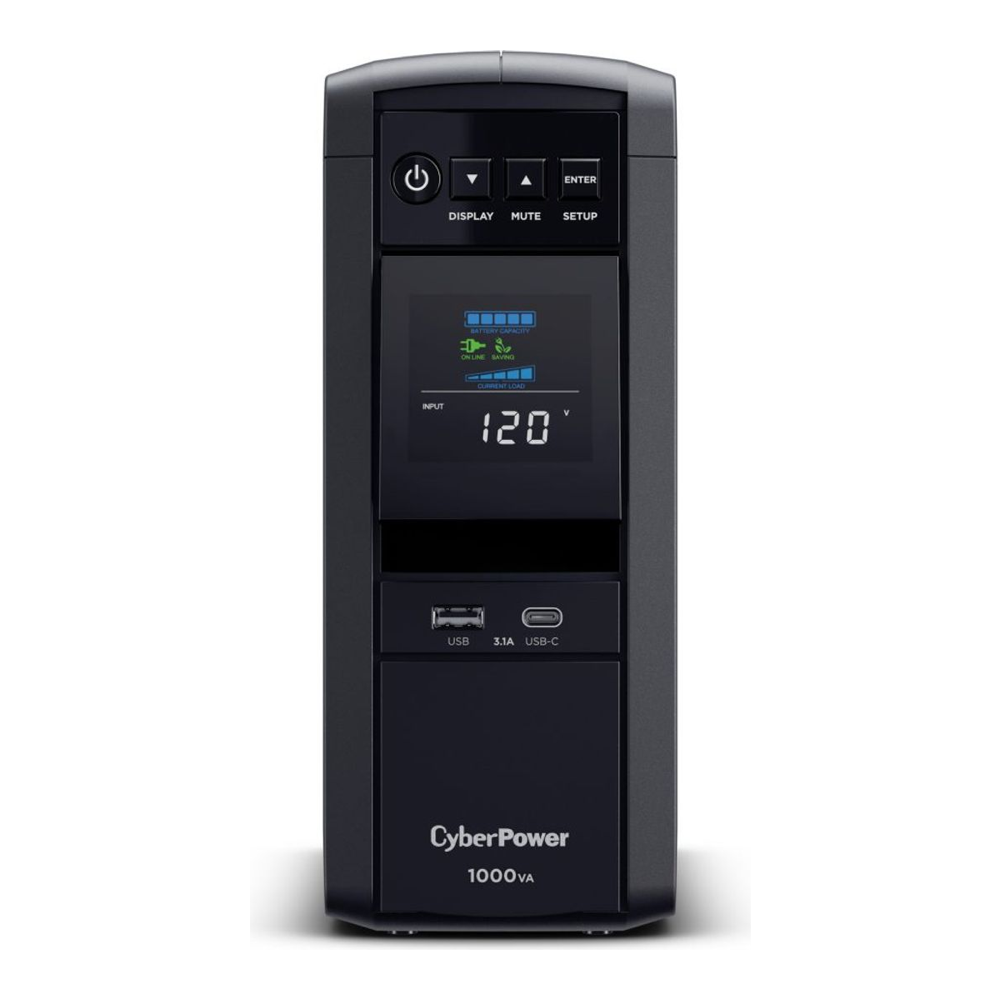
The trade-off versus the 1500VA unit is runtime headroom. At 600W of real output there is less margin if you later add a second box, so size it for the NAS it protects today and step up if your lab grows.
Who it’s for: a single NAS plus a switch on a budget, still getting pure sine for the NAS’s PFC power supply. Skip it if: you run a cluster, or you want a long runtime buffer.
7. CyberPower CP850PFCLCD: best for a low-draw NAS or network shelf
The smallest pick is for the loads people forget to protect: a two-bay NAS, a mini PC, the router and switch on a networking shelf. The CP850PFCLCD is 850VA/510W, pure sine, with the same LCD and USB monitoring, usually the cheapest unit here.
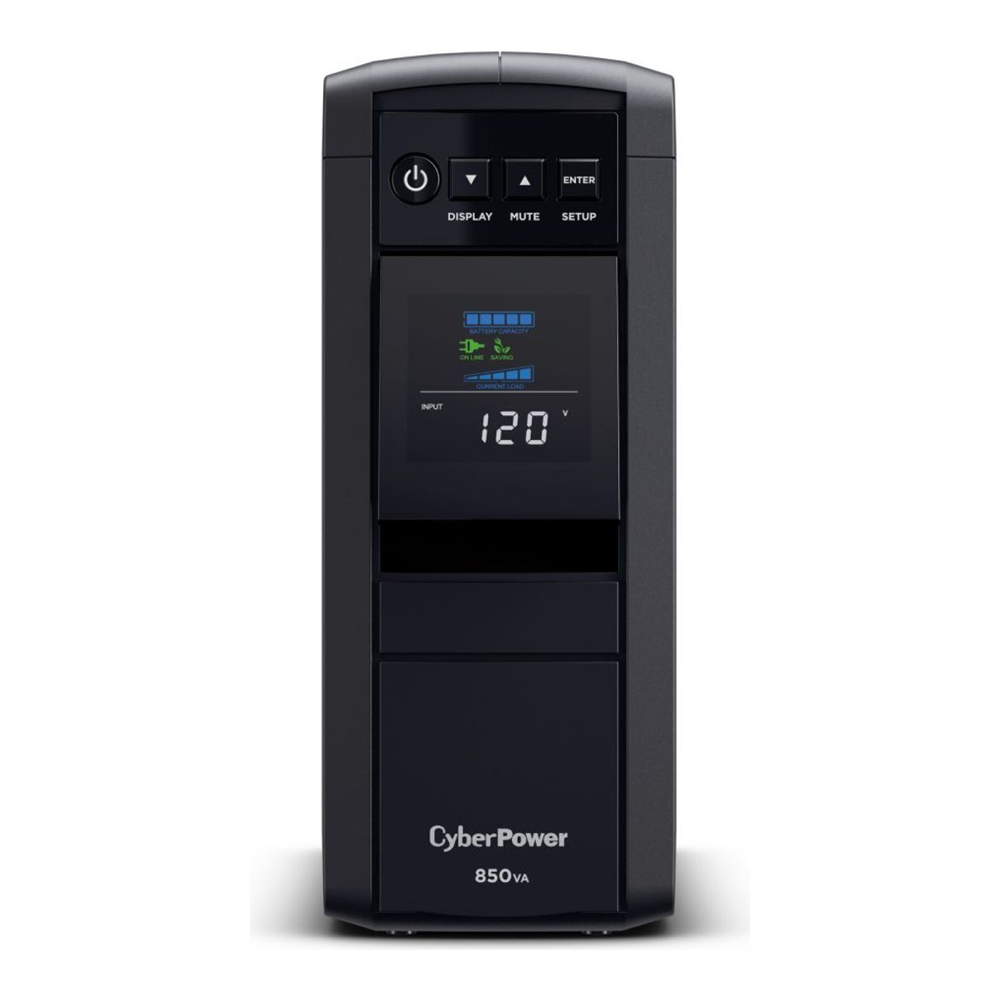
Keep the load light. At 510W its margin is thin, so this is a single-low-draw-device unit, not something to hang a power-hungry server on. For what it does, it is hard to beat on price while staying pure sine.
Who it’s for: a mini PC, a two-bay NAS, or networking gear drawing under about 150W. Skip it if: your total load is anywhere near 400W or you want a management card.
CyberPower CP1500PFCLCD vs APC BR1500MS2
These two are the most common shortlist for a tower homelab UPS, so here they are side by side from the manufacturers’ spec pages.
| Spec | CyberPower CP1500PFCLCD | APC BR1500MS2 |
|---|---|---|
| Rating | 1500VA / 1000W | 1500VA / 900W |
| Waveform on battery | Pure sine | Pure sine |
| Outlets | 12 (6 battery, 6 surge only) | 10 (6 battery, 4 surge only) |
| USB charging | USB-A + USB-C | USB-A + USB-C |
| Network card option | Yes (RMCARD205) | No |
| NUT driver | usbhid-ups | usbhid-ups |
| Approx price | ~$240 | ~$300 |
The CyberPower wins on paper: 100W more real output, two more outlets, a management card slot, and it costs about $60 less. Buy the APC if you already run APC gear elsewhere in the house. Either one does the job with NUT, because both show up as a standard USB HID UPS.
How to size a UPS for a homelab
Sizing a homelab UPS takes one measurement and one rule. The measurement is the real wattage of everything you want on battery, taken at the wall rather than guessed from power supply labels, which overstate draw by a wide margin. A plug-in meter like the P3 Kill A Watt EZ (P4460) (about $35) reads watts, amps, and VA for anything up to 15 A, so plug the NAS, the Proxmox node, and the switch in one at a time, or put a power strip behind the meter and read them together under a normal workload.
The rule: keep that total under about half the UPS’s watt rating, not its VA rating. A “1500VA” label on a unit rated 900W to 1050W is marketing math. Half load leaves headroom for boot surges and a battery that has aged, and it is also the point where manufacturers quote runtime, so you can read the result straight off the spec sheet. A worked example: a four-bay NAS, a mini PC, and a 2.5GbE switch that meter at 180W together sit at 18% of a CP1500PFCLCD’s 1000W. CyberPower quotes 10 minutes at half load (500W), so at 180W you get well over that, and independent tests of this unit have measured more than 25 minutes at around 150W. That covers a clean shutdown several times over.
One note for readers outside North America: every pick on this page is a 120V model with US outlets. In 230V markets, CyberPower sells the same PFC Sinewave line under E-suffixed model numbers (the CP1350EPFCLCD, for example, is on NUT’s compatibility list), while APC’s 230V ranges differ from the US models, so confirm the on-battery waveform on the local spec page. Match the local model number to the specs above before you buy.
Set up graceful shutdown with NUT (the part that saves your data)
Buying the UPS is half the job. The other half is making the server act on it. Network UPS Tools is the standard on Linux, and it has one feature a single-machine tool cannot match: the box with the USB cable can tell every other machine in the lab to shut down too. Here is the setup we ran on Debian 13, which is also what a Proxmox node uses.
Install the server and client packages. On Debian, Ubuntu, or Proxmox:
sudo apt update
sudo apt install -y nut-server nut-client
On RHEL, Rocky, AlmaLinux, or Fedora the package is just nut via dnf install -y nut. Next, tell NUT about the UPS. Open the driver config:
sudo vim /etc/nut/ups.confAdd a section for the UPS. Almost every CyberPower and APC USB unit uses the usbhid-ups driver, and port = auto finds it without you hunting for a device path:
[cps]
    driver = usbhid-ups
    port = auto
    desc = "Homelab UPS"
Run NUT as a network server so other nodes can subscribe to this UPS later. Open the mode file:
sudo vim /etc/nut/nut.confSet a single line:
MODE=netserverCreate a monitoring account. Open the users file:
sudo vim /etc/nut/upsd.usersDefine a user that upsmon will log in as. Change the password to your own:
[monuser]
    password = ChangeThisPassword
    upsmon primary
Now wire up the monitor itself, which is the piece that decides when to pull the plug gracefully. Open its config:
sudo vim /etc/nut/upsmon.confPoint it at the UPS and tell it what to run on a forced shutdown. The MONITOR line uses the same user and password you just set:
MONITOR cps@localhost 1 monuser ChangeThisPassword primary
MINSUPPLIES 1
SHUTDOWNCMD "/sbin/shutdown -h +0"
POLLFREQ 5
POLLFREQALERT 5
Start both services and confirm NUT can see the UPS:
sudo systemctl restart nut-server nut-monitor
upsc cps
You should get the live status back, with the model, battery charge, current load, and a status of OL for online:

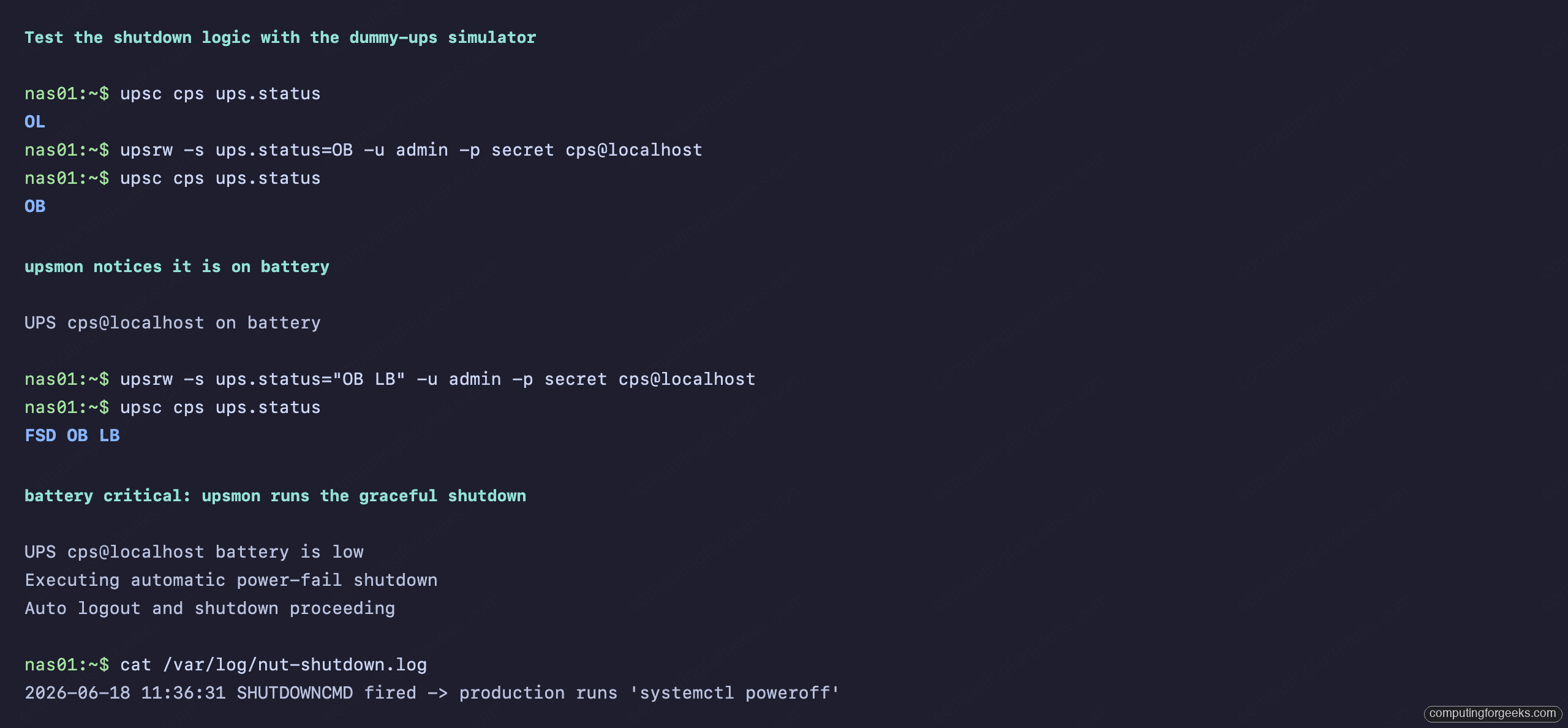
Here is the trick that separates a working setup from one that only looks like it works: test the shutdown logic before a real outage instead of during one. NUT ships a dummy-ups driver that simulates a UPS, so you can flip it to “on battery” and then “low battery” and watch upsmon react, all without touching your real power. In our lab the moment the simulated battery went critical, upsmon logged the on-battery and low-battery events and ran the shutdown command exactly as configured (we pointed it at a log file so the test box stayed up for the screenshot; on a real server it runs your SHUTDOWNCMD, the shutdown -h +0 line above):
For a cluster, this is where NUT earns its place. The node with the USB cable stays as the primary above. First, on that primary, add a LISTEN 0.0.0.0 3493 line to /etc/nut/upsd.conf and open TCP port 3493, because upsd binds to localhost only by default and the other nodes get a connection refused without it. Every other Proxmox or TrueNAS box then runs only upsmon in secondary mode, pointing its MONITOR line at the primary’s IP instead of localhost. On a low-battery event the secondaries disconnect and shut down first, the primary waits for them, then shuts down last and signals the UPS to cut power. One UPS, one USB cable, the whole lab protected. If you are still planning the storage side of that lab, our guide to the best NAS for home and Plex and the DIY NAS build with TrueNAS or Unraid pair naturally with this.
UPS shutdown on TrueNAS, Unraid, Synology, and Proxmox
You only need the manual NUT setup above on a plain Linux box or a Proxmox node, because Proxmox has no UPS settings in its web UI. The NAS platforms have it built in, and each one works a little differently.
TrueNAS uses NUT under the hood. Enable the UPS service, pick your model’s driver from the list (the CyberPower and APC picks here all use usbhid-ups), set UPS Mode to Master if the USB cable plugs into the TrueNAS box, and tick Remote Monitor so other machines can subscribe to it as NUT secondaries, the same way the cluster setup above works.
Unraid ships with apcupsd, not NUT. Its built-in UPS settings work well for an APC unit on USB. apcupsd often works with a CyberPower on USB too, but when it misreads the unit, or when Unraid has to share one UPS with other machines, the usual route is to turn the built-in APC daemon off and install the community NUT plugin, which then behaves like any other NUT primary or secondary.
Synology DSM has UPS support under Control Panel, Hardware & Power, UPS. Plug the UPS in over USB, tick Enable UPS support, and choose whether the NAS enters Standby Mode at low battery or after a set time. Ticking Enable network UPS server and adding the IPs of your other Synology units lets them shut down off the same UPS. Synology recommends testing it with a real outage simulation first, because the option to power the UPS off after shutdown varies by brand and model.
Lithium UPS and power stations: are they worth it?
Every pick above uses sealed lead-acid batteries, which is why you replace them every three to five years. Lithium changes that, but the price gap is still wide. APC’s own lithium Smart-UPS, the SMTL1500RM3UC (a 3U rackmount unit rated 1440VA/1350W), sells for about $1,800 on Amazon, about two and a half times what the lead-acid SMT1500C costs. That only pays off if you really hate battery swaps.
The cheaper route to lithium, and the most common “homelab UPS alternative” people ask about, is a portable power station with a UPS mode. The one we would pick is the EcoFlow River 3 Plus (about $299). It has a 286Wh LiFePO4 battery, 600W of pure sine output on three UPS-protected AC outlets, a quoted switchover under 10 ms, and a one-hour recharge from the wall. EcoFlow rates the battery for 10 years before it drops to 80% capacity.

The catch is shutdown integration. The River 3 Plus has a USB-B port and presents itself as a USB HID UPS, but NUT only added basic support for it (and the Delta 3 Plus) in NUT 2.8.3, and some firmware revisions need a fix that is still in NUT’s development branch. Debian 13 ships NUT 2.8.1, which is what we tested above, so on a stock Debian or Proxmox host you would need a newer NUT build before it can trigger a shutdown. Its switchover is also slower than the 4 ms a line-interactive UPS like the CP1500PFCLCD quotes. ATX power supplies must hold up for at least 12 ms at full load, so a healthy one should ride through a 10 ms gap with little margin to spare. NAS power bricks are not held to that spec, so test it with your own hardware before you trust it with a ZFS pool. For a router and a mini PC it is a great fit; for a storage server, a real UPS is still the safer default.
What to look for when buying a UPS
The picks above cover most situations, but if you are comparing other models, these are the axes that decide it.
Pure sine wave, always, for a server. This is the one to not compromise on. Avoid the units sold as “simulated”, “stepped”, or “approximated” sine wave for anything with an Active PFC power supply, which is every modern server and NAS. The popular APC Back-UPS BX1500M and the CyberPower CP1500AVRLCD3 are both simulated-sine units per their own spec pages, and the Eaton 5S1500LCD is widely reported as one too (Eaton does not publish its waveform, so confirm it before buying). They are fine for a lamp or a basic desktop, but a PFC supply can shut down the instant they switch to battery. Every pick on this page is pure sine for exactly this reason.
Size by watts, not VA. A “1500VA” unit usually delivers only 900W to 1050W of real power because of its power factor. Measure your real draw and keep it under about half the watt rating, as covered in the sizing section above.
Runtime is a calculator, not a spec. The “10 minutes” on the box is at half load. Use the manufacturer’s runtime calculator with your actual watt draw. You do not need an hour; you need enough to trigger and complete a clean shutdown, which is usually two to five minutes. Long runtime only matters if you want the lab to ride through short outages without shutting down at all.
Confirm NUT support. Every pick here uses the usbhid-ups driver, which is the most widely supported path and what TrueNAS and Proxmox expect. Before buying anything off this list, check the model against the official NUT hardware compatibility list. For APC units specifically, use NUT rather than the older apcupsd; NUT is actively maintained and lets multiple machines monitor one UPS, and you should never run both daemons on the same box.
Batteries are consumable. Every UPS battery degrades and needs replacing every three to five years. Tower units like the CyberPowers use sealed packs you swap yourself after powering down; the Smart-UPS and both rack CyberPowers use hot-swappable cartridges you can replace without dropping the load. Factor a replacement into the long-term cost, and test your runtime once a year so you are not surprised by a battery that has quietly died.
Which one to pick
For most homelabs, the CyberPower CP1500PFCLCD is the answer: pure sine, 1000W, the cleanest NUT integration, and the price is right. Drop to the CP1000PFCLCD if you are protecting a single NAS and want to spend less, or the CP850PFCLCD for a low-draw shelf. Put it in a rack and the CP1500PFCRM2U is the same idea in 2U for about $360; step up to the OR1500PFCRT2U only if you want the lab to keep running through a longer outage. Spend up to the APC Smart-UPS SMT1500C only when long runtime, a hot-swap battery, and a network management card genuinely matter, such as a cluster you cannot afford to lose. Whichever you buy, spend the twenty minutes to wire up NUT and run the dummy-ups test, because the UPS that does not shut your server down cleanly is just an expensive surge strip. Once the power side is sorted, the right NAS drives and a tuned ZFS pool layout are what your clean shutdown is protecting.