Repository navigation
Examples
Each example shows the input picture on the left and the object turning on the right, starting from the camera the model predicted. The sides the picture does not show are the model's guess.
All were made in Forge Neo with the settings below. The GIFs come from tools/turntable.py, a simple CPU renderer: a dedicated splat viewer shows the objects sharper.
The axolotl and cowboy pictures are examples from the Idol SDK. The chibi is an original character, generated with Anima for this test.
Rendered figures are where Idol does best: the shading in the picture tells it the shape.
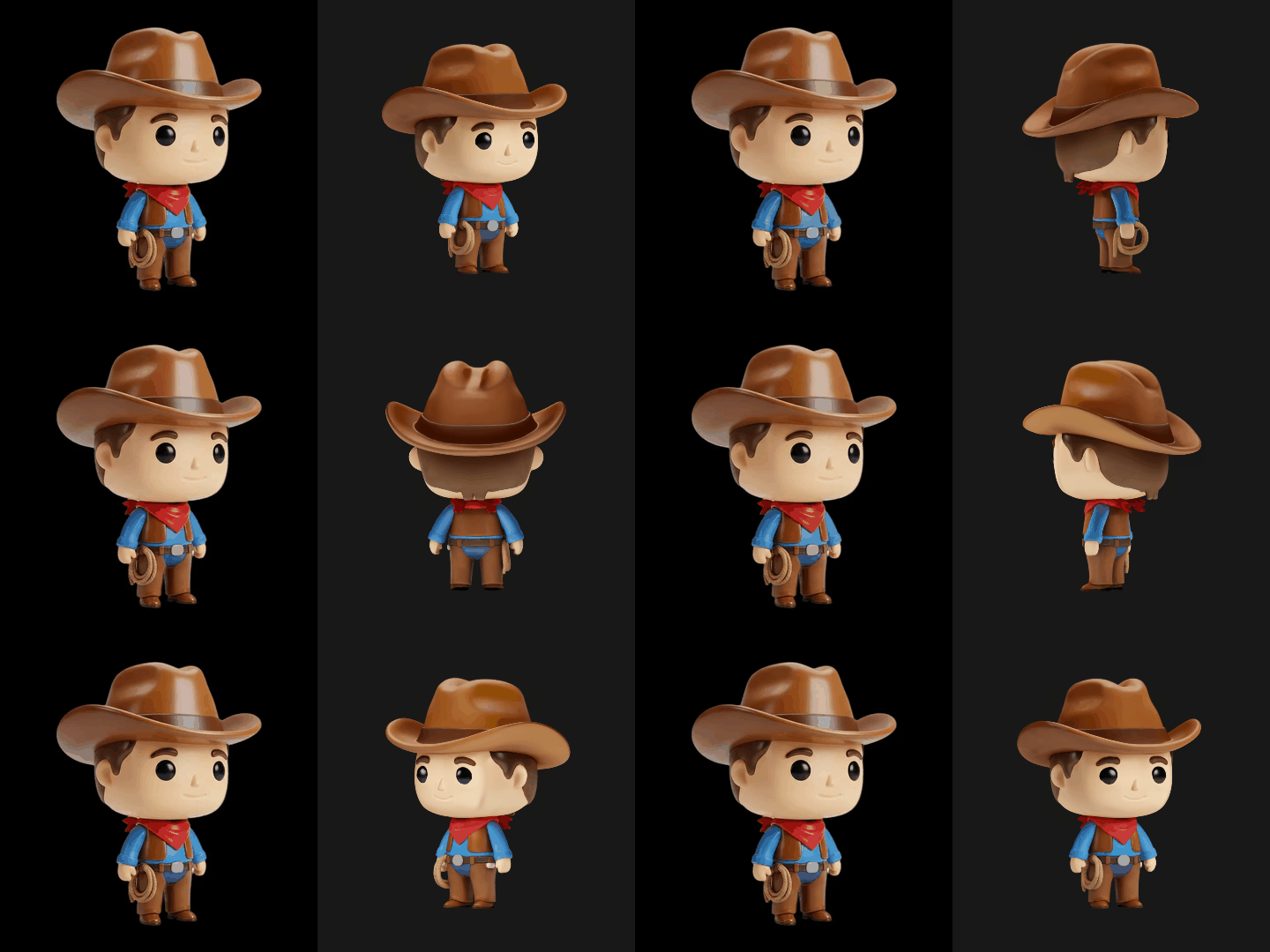
50 steps, Euler, Simple, CFG 4, 262,144 Gaussians, seed 8101, Render or generated image. Hat, bandana, belt and rope hold, and the back is believable.
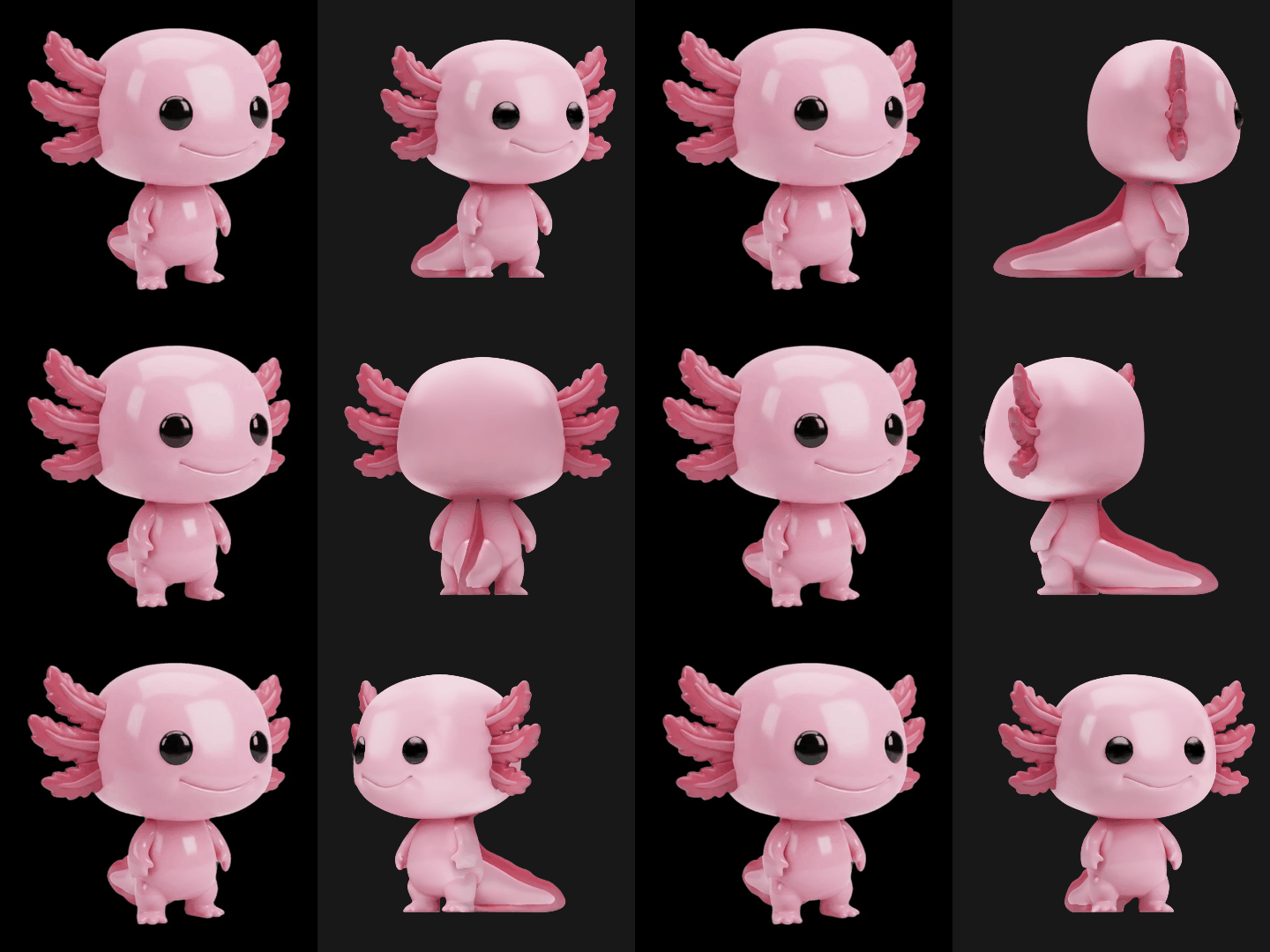
50 steps, CFG 4, seed 42. The tail is much longer than the picture suggests: the model could only guess it.
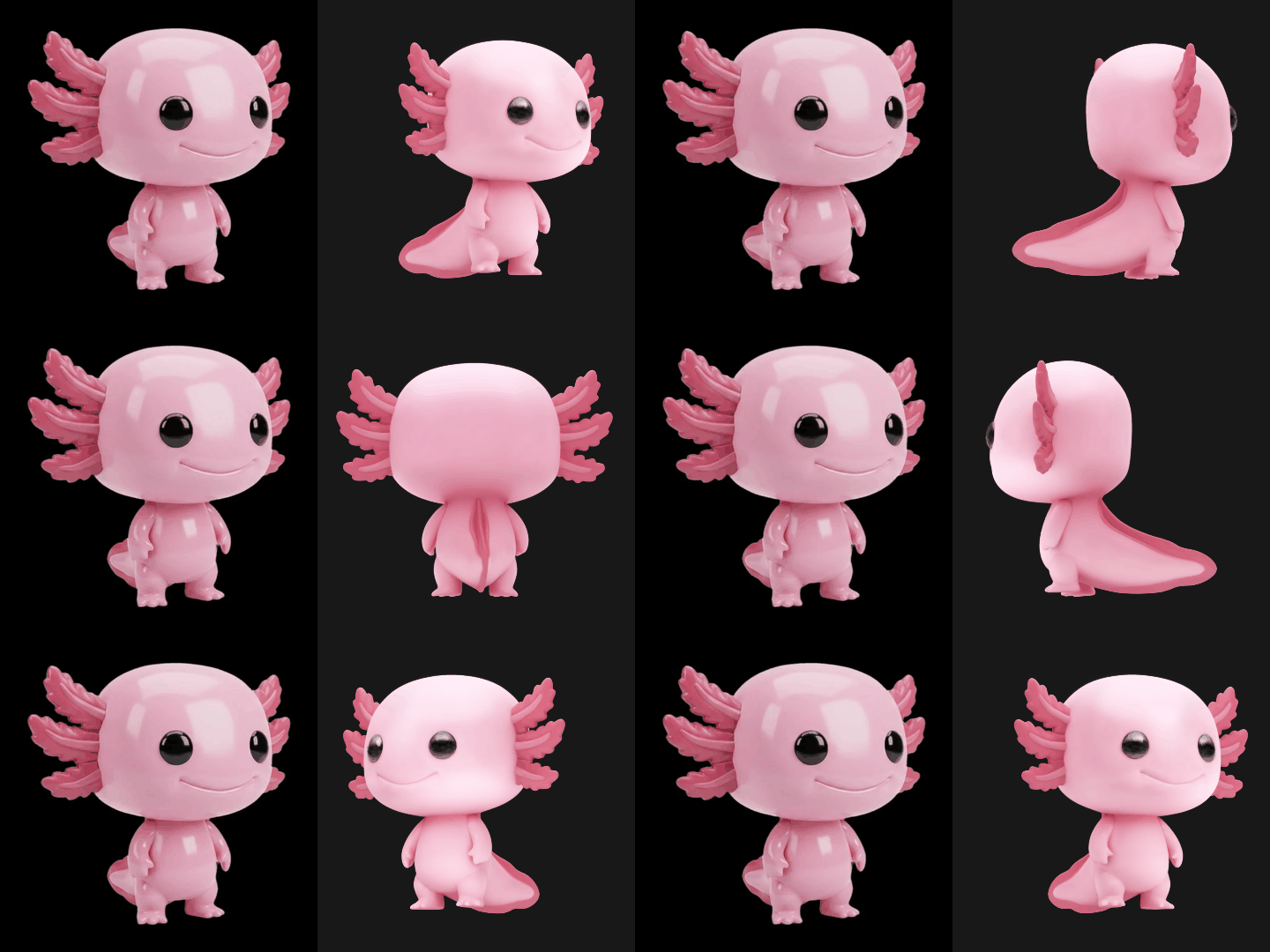
Same picture and seed, Idol Turbo: 5 steps, CFG 1. A good shape in a fraction of the time, softer and with paler colours.
A flat drawing works, with limits: its lines and painted shadows become part of the object's colour, and the sides it does not show come out less convincing. For a better object, generate the character as a 3D-looking figure rather than as line art.
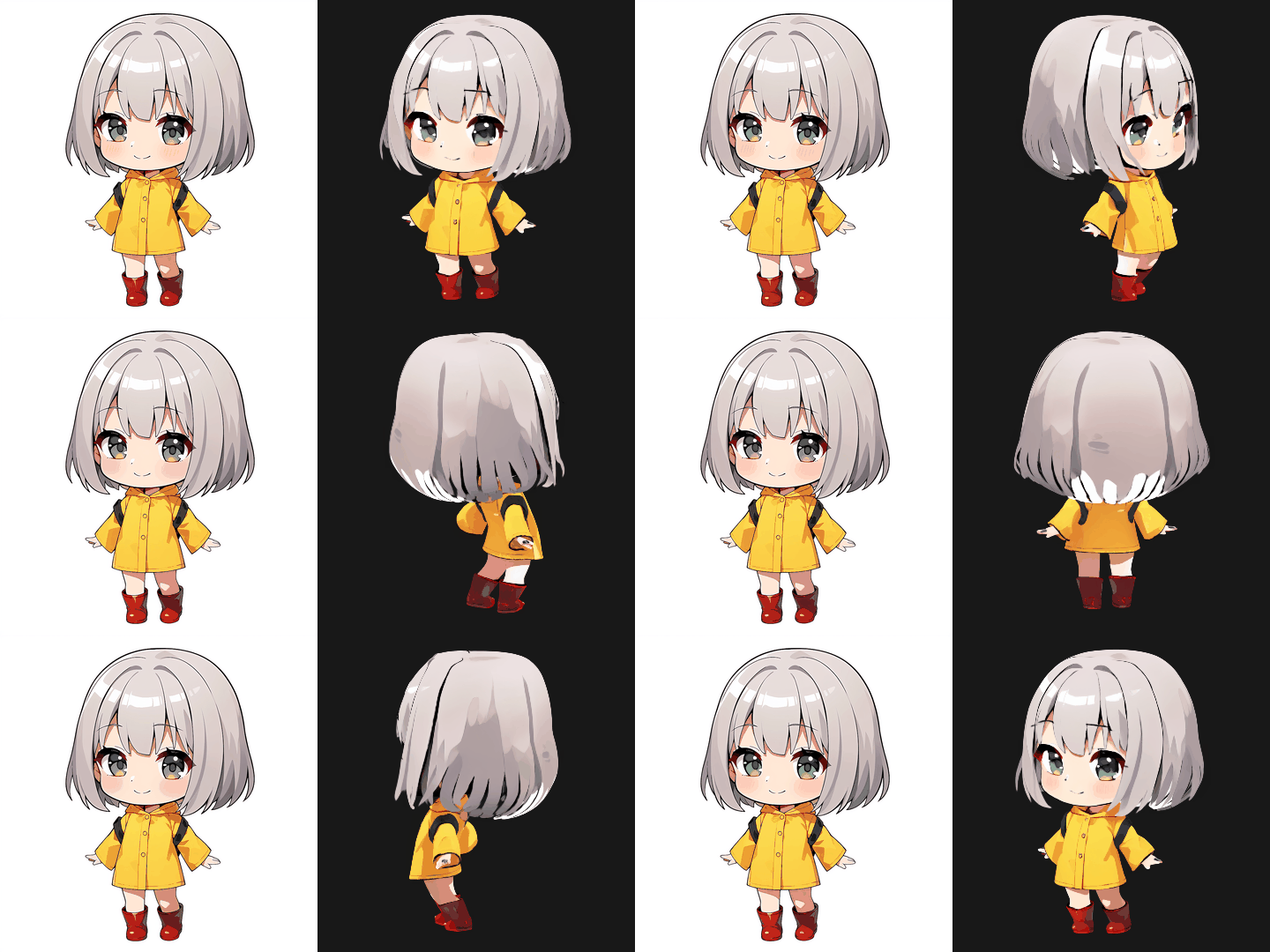
50 steps, CFG 4, seed 8202. Good from the front; the hair at the back picks up white patches.
The mesh is a draft. It has the object's shape, with colours on its vertices, loses fine detail, and its surface ripples: expect to retopologize it. These are shown as a record of what to expect today, at the default resolution of 256 and drawn with simple lighting from the camera.
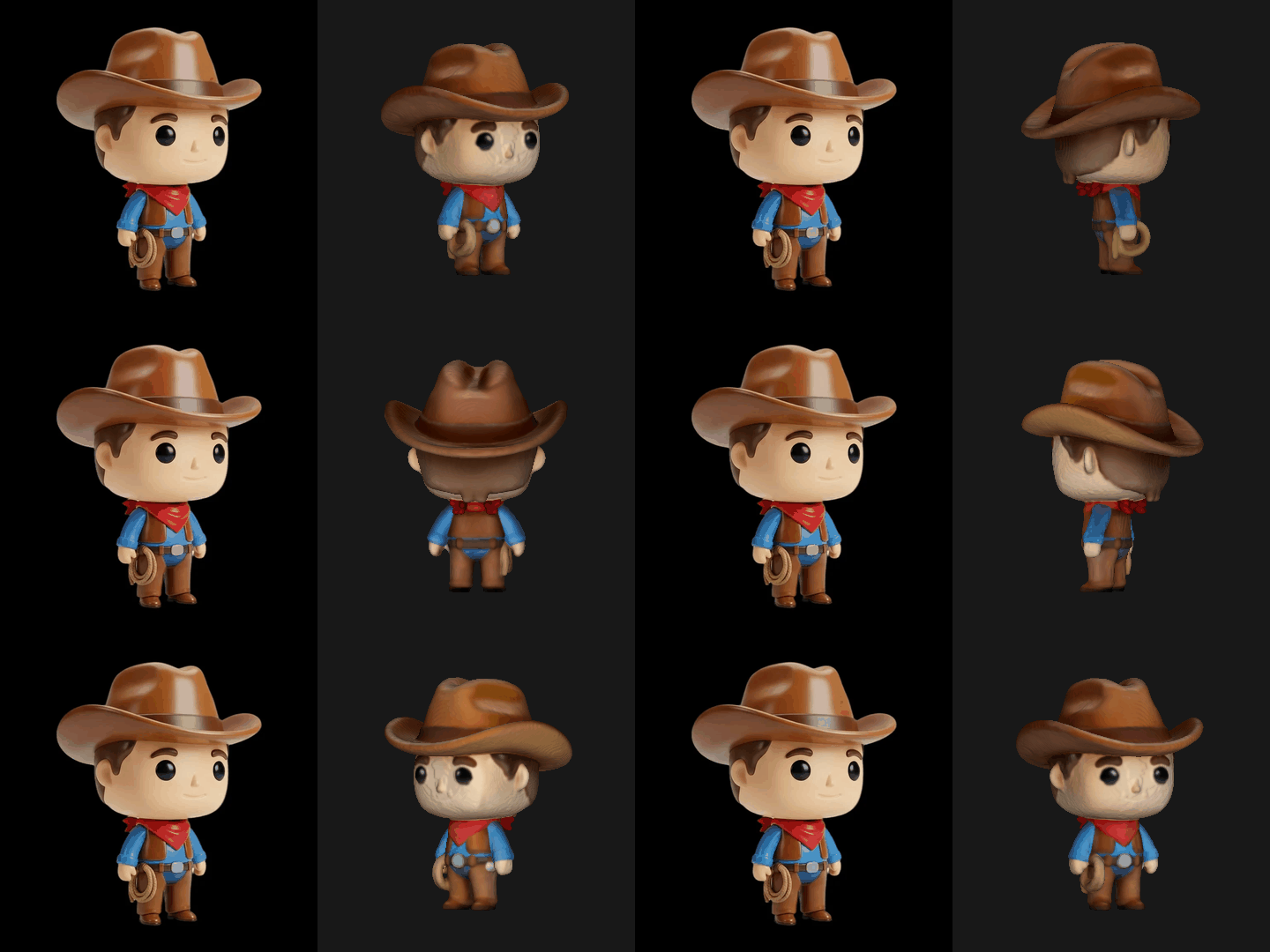
392,512 faces. Shape and colours hold; the face goes rough, and the eyes and the rope lose their edges.
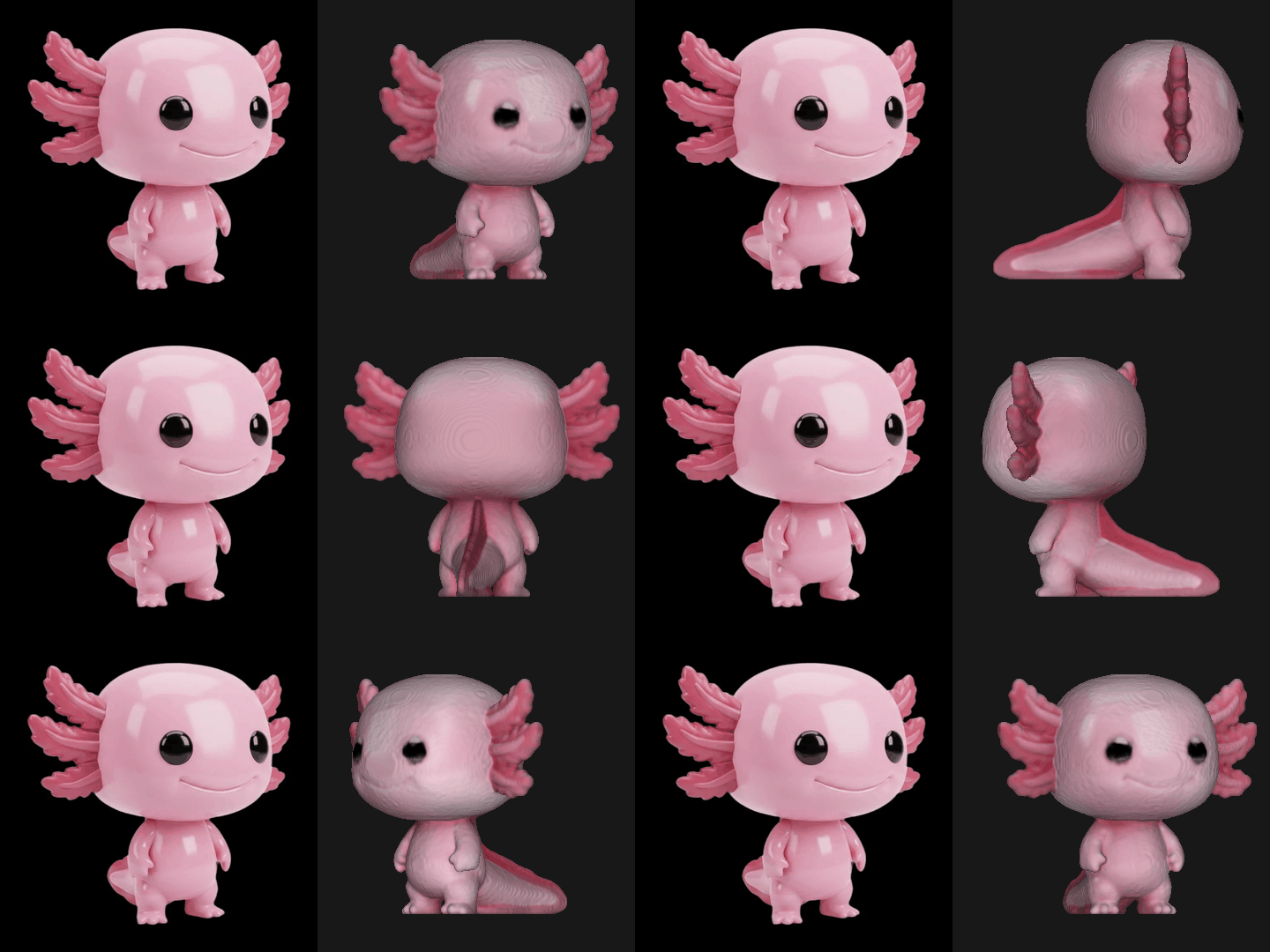
372,276 faces. The head looks greyer than in the object here. The cause has not been established yet.
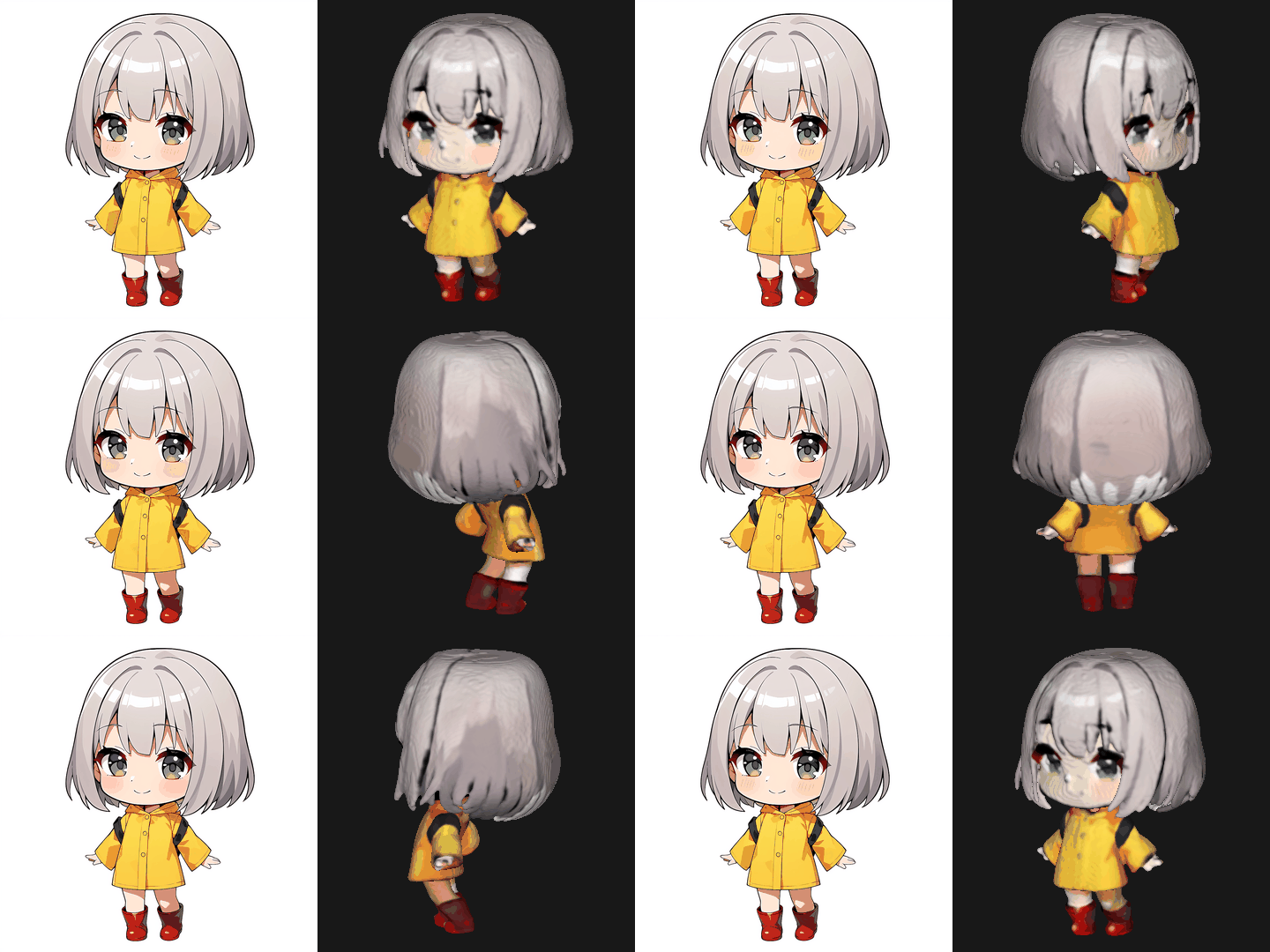
649,620 faces. An anime face is lines and colour with no relief, and it does not survive the step to vertices: use the .ply or the .spz for this style.
