

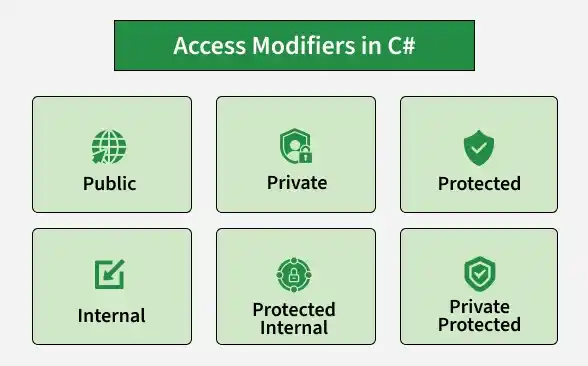
Access modifiers are used to control the visibility and accessibility of classes, methods, and variables. They help implement encapsulation by restricting access to different parts of a program. C# provides several access modifiers to define access levels.
- Public modifier: Accessible from anywhere the containing type is accessible.
- Private modifier: Accessible only within the containing type.
- Protected modifier: Accessible within the containing type and its derived classes.
- Internal modifier: Accessible within the same assembly.
- Protected Internal modifier: Accessible within the same assembly or from derived classes in another assembly.
- Private Protected modifier: Accessible within the containing type and derived classes in the same assembly.
Real-World Example: In a banking application, private can protect account balances, internal can restrict helper classes to the same assembly, protected can support inheritance, and public can expose operations such as depositing money.
Types of Access Modifier
C# provides six commonly used access modifiers for classes and members. The file accessibility modifier is also available for top-level types in modern C#.
1. Private Access Modifier
The private access modifier restricts access to the containing type. Members declared as private cannot be accessed directly from outside that type.
- Provides a high level of access restriction.
- Commonly used to protect fields and implementation details.
Example: The following code demonstrates how a private variable is accessed through public methods.
using System;

class Person{
    private string name;

    public void SetName(string value){
        name = value;
    }

    public string GetName(){
        return name;
    }
}

class GFG{
    static void Main(){
        Person p = new Person();
        p.SetName("Alice");

        // Console.WriteLine(p.name); // Error
        Console.WriteLine(p.GetName());
    }
}
Output
Alice
Explanation: The name field cannot be accessed directly outside the Person class, so the public SetName() and GetName() methods are used.
Syntax
private dataType variableName;
2. Internal Access Modifier
The internal access modifier allows members and types to be accessed from anywhere within the same assembly. An assembly is typically a compiled .dll or .exe file.
- Provides access within the same assembly.
- Members cannot normally be accessed directly from another assembly.
Example: The following code demonstrates an internal field accessed within the same assembly.
using System;

class Car{
    internal string model = "Tesla";
}

class GFG{
    static void Main(){
        Car c = new Car();
        Console.WriteLine(c.model);
    }
}
Output
Tesla
Explanation: The model field is accessible because both classes belong to the same assembly.
Syntax
internal dataType variableName;
3. Protected Access Modifier
The protected access modifier allows access within the containing class and its derived classes.
- Supports inheritance by allowing derived classes to access protected members.
- Members cannot be accessed directly through an ordinary instance from an unrelated class.
Example: The following code demonstrates how a derived class accesses a protected member of its base class.
using System;

class Vehicle{
    protected int speed = 100;
}

class Bike : Vehicle{
    public void ShowSpeed(){
        Console.WriteLine(speed);
    }
}

class GFG{
    static void Main(){
        Bike b = new Bike();
        b.ShowSpeed();
    }
}
Output
100
Explanation: The Bike class inherits from Vehicle, so it can access the protected speed field.
Syntax
protected dataType variableName;
4. Public Access Modifier
The public access modifier allows access from anywhere the containing type is accessible.
- Provides the widest accessibility for class members.
- Commonly used for methods and properties intended to be available to other parts of an application.
Example: Program demonstrates calling a public method from another class.
using System;

class MathUtils{
    public static int Add(int a, int b){
        return a + b;
    }
}

class GFG{
    static void Main(){
        Console.WriteLine(MathUtils.Add(5, 10));
    }
}
Output
15
Explanation: The Add() method is public, so it can be called from the Program class.
Syntax
public dataType memberName;
5. Protected Internal Access Modifier
The protected internal access modifier combines protected and internal accessibility. A member can be accessed from within the same assembly or from a derived class in another assembly.
- Provides access within the same assembly, even without inheritance.
- Allows derived classes in other assemblies to access the member.
Example: The following code demonstrates accessing a protected internal member within the same assembly.
using System;

class Vehicle{
    protected internal int speed = 80;
}

class GFG{
    static void Main(){
        Vehicle v = new Vehicle();
        Console.WriteLine(v.speed);
    }
}
Output
80
Explanation: The speed field is accessible because the Program class belongs to the same assembly.
Syntax
protected internal dataType memberName;
6. Private Protected Access Modifier
The private protected access modifier allows access within the containing class and its derived classes that belong to the same assembly.
- Combines private-level restriction with inheritance-based access.
- Useful when a member should be available only to derived classes within the same assembly.
Example: The following code demonstrates accessing a private protected member through inheritance.
using System;

class Vehicle{
    private protected int speed = 60;
}

class Bike : Vehicle{
    public void ShowSpeed(){
        Console.WriteLine(speed);
    }
}

class GFG{
    static void Main(){
        Bike b = new Bike();
        b.ShowSpeed();
    }
}
Output
60
Explanation: The Bike class can access speed because it derives from Vehicle and belongs to the same assembly.
Syntax
private protected dataType memberName;
Comparison Table of Access Modifiers
Access Modifier | Same Class | Derived Class (Same Assembly) | Other Class (Same Assembly) | Derived Class (Different Assembly) | Unrelated Class (Different Assembly) |
|---|---|---|---|---|---|
private | Yes | No | No | No | No |
protected | Yes | Yes | No | Yes | No |
internal | Yes | Yes | Yes | No | No |
public | Yes | Yes | Yes | Yes | Yes |
protected internal | Yes | Yes | Yes | Yes | No |
private protected | Yes | Yes | No | No | No |
Note: The table describes member accessibility, assuming the containing type itself is accessible. Top-level types have additional restrictions: a top-level class or struct can be public, internal, or file, but not private or protected.
When to Use Access Modifiers in Real-World Projects
- Private: Use for internal fields and implementation details that should be hidden.
- Internal: Use for helper classes and components that should remain within the same assembly.
- Protected: Use for members intended to be accessed by derived classes.
- Public: Use for APIs, service methods, and properties that other parts of an application need to access.
- Protected Internal: Use when members need to be accessible within the assembly and to derived classes outside it.
- Private Protected: Use when only derived classes within the same assembly should access a member.
